Guide
Robot Mower Accessories Worth Buying (2026)
Which robot mower accessories are worth buying in 2026: replacement blades, garages, RTK antenna masts, anti-theft, and traction wheels, honestly explained.
Find Matching ModelsBy Brian Williams — Founder, MowScoutUpdated 2026-07-01How we scoreHow we test
Last updated July 1, 2026 · MowScout Editorial
The mower is the headline purchase, but it is not the last money you spend. A robot lawn mower is a machine that lives outdoors, cuts every day, and slowly wears through consumables — and the accessory aisle is a mix of genuinely useful parts and overpriced plastic you'll never need. This guide sorts them. For each accessory we cover what it actually does, when it's worth buying, a rough US cost as of mid-2026, and which mowers in our catalog actually need it. It's written to make your ownership cheaper and less annoying, not to pad an order.
The one-paragraph version. Buy replacement blades — that's the one recurring cost every owner has, roughly $15–$40 a set every 6–10 weeks. In the Sun Belt, a garage or carport ($30–$400) earns its keep by shading the battery and keeping rain off the contacts. If your mower uses a local RTK antenna and the signal is marginal, an antenna mast or extension buys you clear sky. A $25 tracker tag is cheap theft insurance. Traction spikes help RWD mowers on wet slopes but come with caveats. Everything else — replacement wheels, contact cleaner, boundary wire, a Wi-Fi extender — is situational. Match it to your yard, not to the marketing.
Disclosure: MowScout earns a commission if you buy through some of the links on this page. It never changes a score, a ranking, or a recommendation. Many accessories here are third-party parts we have not hands-tested — we are spec-verified and data-driven, and we say so plainly. See our affiliate disclosure.
The quick-glance priority table
Start here, then read the section for anything you're unsure about. "Worth it?" is our honest call for a typical Sun-Belt owner — your yard may move an item up or down.
| Accessory | Who needs it | ~Cost (US, mid-2026) | Worth it? |
|---|---|---|---|
| Replacement blades | Every owner, recurring | ~$15–$40 / set | Essential — not optional |
| Garage / carport | Full-sun docks, high-UV climates | ~$30–$70 fabric; $120–$400 hard | Usually in heat/UV |
| Antenna mast / extension | RTK-antenna models near obstructions | ~$30–$80 | Yes if signal is marginal |
| Anti-theft tracker tag | Anyone with a visible/front-yard dock | ~$25–$35 | Cheap insurance |
| Spike / traction wheels | RWD or wired mowers on wet slopes | ~$15–$30 | Sometimes — with caveats |
| Replacement drive wheels | Older, high-hour mowers | ~$15–$40 | As-needed wear part |
| Charging-contact cleaner | Any mower with charging faults | ~$8–$15 | Cheap fix, high value |
| Boundary wire + repair kit | Wired models only | ~$20–$70 spool; ~$15 repair kit | Essential for wired |
| Outdoor Wi-Fi extender | Wi-Fi-only mowers far from router | ~$30–$100 | Only if signal is weak |
How to think about robot mower accessories
There are two honest categories here, and confusing them is how people overspend. Consumables wear out and must be replaced no matter what you do — blades above all, plus eventually wheels and a battery. Situational upgrades solve a specific yard problem: a garage for a brutally sunny dock, a mast for a shaded RTK antenna, spikes for a wet slope. Consumables are a certainty you should budget for on day one; situational upgrades you should buy only after you've watched your mower run and seen the actual failure.
The best way to size all of this before you buy is the robot lawn mower cost calculator, which folds blades and running costs into a five-year number, and the buyer's guide, which helps you pick a mower that needs fewer accessories in the first place. A well-matched AWD mower on a steep yard needs no traction spikes; a LiDAR mower under trees needs no antenna mast. The smartest accessory strategy is buying the right mower, so if you haven't chosen yet, run the configurator first.
Replacement blades — the #1 recurring cost
If you buy one thing on this page repeatedly, it's blades, and they matter more than their tiny price suggests. Robot mowers don't use one big rotary blade; they spin a disc carrying several small, razor-like pivoting blades that slice a little off the top every day. Because they're cutting constantly, they dull faster than you'd expect — and a dull blade is a quiet lawn-killer. Instead of slicing cleanly, it tears and bruises the grass tip, which browns, frays, and invites disease. It also drags, forcing the motor to work harder, draining the battery sooner, and accelerating wear on the whole drivetrain.
How often. Plan on a fresh set roughly every 6–10 weeks of active mowing, or about every 150–200 running hours — sooner if you mow daily or cut thick, sandy, stick-strewn turf. The intervals are brand-specific: Mammotion recommends flipping LUBA/YUKA blades at 50 hours and replacing at 150; WORX says every 3–4 months, or monthly if the Landroid mows daily; Husqvarna advises every 4–8 weeks depending on grass and use. Many blades are double-edged or double-holed so you can flip them once before replacing — a free way to double the interval.
How much. Cheap, which is the good news. A genuine set typically runs $15–$40. Mammotion's 24-blade LUBA/YUKA Endurance pack (three full sets) is about $49 — roughly $16 a set. WORX's long-life stainless Landroid blades run about $30 for six. Husqvarna sells classic and longer-lasting Endurance blades in small multi-packs and bulk boxes. Across a season most owners spend $30–$120 on blades, which is exactly the figure the cost calculator folds into ownership.
Genuine vs. third-party — the one place we lean OEM. Aftermarket blades are everywhere and often cheaper, and good ones are fine. But this is a safety part: a blade of the wrong weight, thickness, or steel hardness can unbalance the cutting disc, strain the pivot and motor, and in a worst case shed a blade at speed. If you go aftermarket, buy reputable stainless sets that publish dimensions matching your OEM blade exactly, and avoid no-name lots that don't. And whatever you buy, replace the mounting screws with the blades — Husqvarna and others require it, because the little screws fatigue and are what hold a spinning blade on. For the full deep-dive, see our dedicated replacement blades guide. This is the accessory to budget for on every model, from the wired WORX Landroid M to the flagship LUBA 3 AWD 3000H.
Where to buy. Shop replacement blades on Amazon. The link opens Amazon search results rather than one product, so confirm that a kit names your exact mower model, and comes with fresh screws, before you buy.
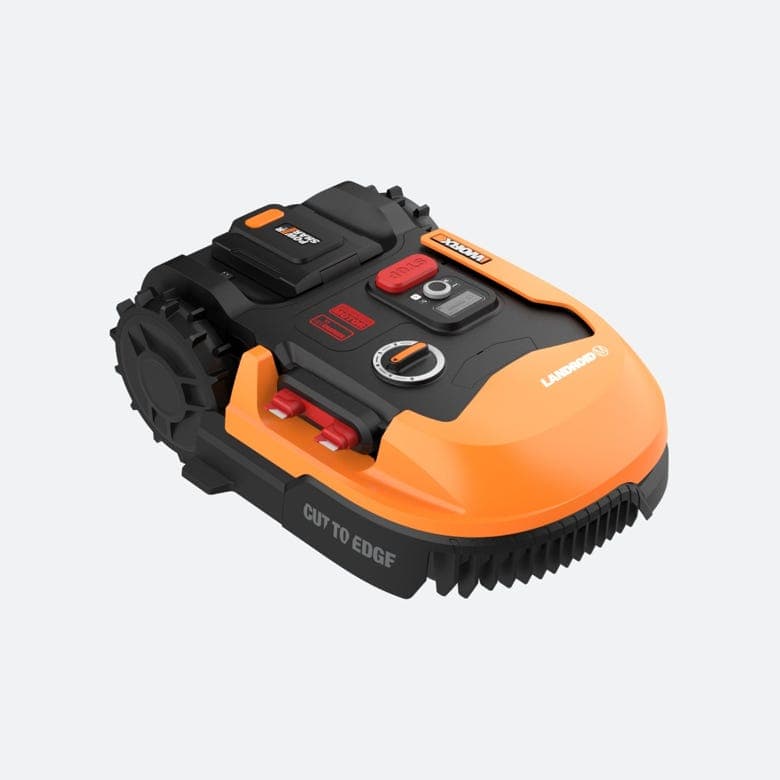
Robot mower garages & carports — worth it in Sun-Belt heat
A robot mower "garage" is a shelter that covers the mower and its charging dock — anything from a folding fabric carport to a solid wooden or plastic house. What it protects against is exactly what a Sun-Belt yard delivers: relentless UV, high heat, and hard rain. Over years, that combination fades and embrittles the mower's plastic housing, degrades door and sensor seals, and — most expensively — bakes the lithium battery, which is the priciest part you'll ever replace. Keeping rain and pooled water off the charging contacts also heads off the corrosion that causes a lot of "won't charge" complaints.
When it's worth it. In high-UV, high-heat states — Arizona, Texas, Florida, the California interior — a garage is one of the better-value accessories you can add, because shading the dock protects the battery and housing that cost real money. On a shaded lot in a mild climate, it's more cosmetic. Note the honest limit: covering the mower does not help sky-dependent RTK mowers keep a signal, and a garage placed under a tree can make an antenna model worse.
How much. Simple fabric carports and oxford covers (brands like ACFARM, CNAINFC, Tiptoop) run roughly $30–$70; sturdier wooden or hard-shell garages run $120–$400+, and manufacturer-branded houses sit at the top of that range for what is often a basic design. Many owners DIY a plywood lean-to for less. Whatever you pick, make sure it clears the dock's cable routing and leaves the mower room to drive in and out. We go deeper — including DIY vs. prebuilt — in is a robot mower garage worth it.
Where to buy. Shop robot mower garages on Amazon. These are search results, so check the inside height and width against your mower and dock, and never cover an RTK antenna.
RTK antenna masts & extensions — you're buying clear sky
This one is only for a specific group, so check whether it applies before you spend. RTK-positioning mowers fix their location by combining satellite signals with corrections from a local antenna, and that antenna needs a genuinely open view of the sky. If it sits under an eave, beside the house, below a fence line, or under tree cover, the mower's position drifts — and drift shows up as a mower that wanders off its map, cuts crooked lines, pauses, or refuses to leave the dock. A mast or a 10-meter extension cable lets you relocate the antenna up onto a roof, a pole, or a high wall where it can see open sky.
Who needs it. In our catalog, five models require a local antenna: the Sunseeker X7, X3 Plus and X5 AWD, the Lymow One Plus, and the ECOVACS GOAT O1000 RTK. Several more use network or cloud correction by default and fall back to a local antenna or reference station only where that coverage doesn't reach: the Navimow i105N, i110N, i210 AWD, X330 and X350, the Husqvarna Automower 420 iQ, and the Yarbo Lawn Mower Pro. For those, a mast matters only if you're outside that coverage. If your antenna already has clear sky and the mower positions cleanly, you need nothing; buy the mast only if you have a real signal problem. LiDAR mowers do not use a local antenna at all: the ECOVACS GOAT LiDAR line and Mammotion YUKA build a laser map, so a mast does nothing for them.
How much. Segway sells a Navimow antenna extension cable (10m) for roughly $30, and a wind-resistant antenna mounting kit for roughly $60; combined kits run in the $30–$80 range. It's cheap relative to the frustration of a mower that can't hold its position. Before you buy hardware, though, try relocating the antenna to a better spot first — most signal problems are a placement issue, which is exactly what our RTK antenna placement guide walks through.
Where to buy. Shop RTK antenna mounts on Amazon. These are search results and mounts are not universal, so match the thread and cable length to your mower's antenna; the brand kits linked above are the safest fit.
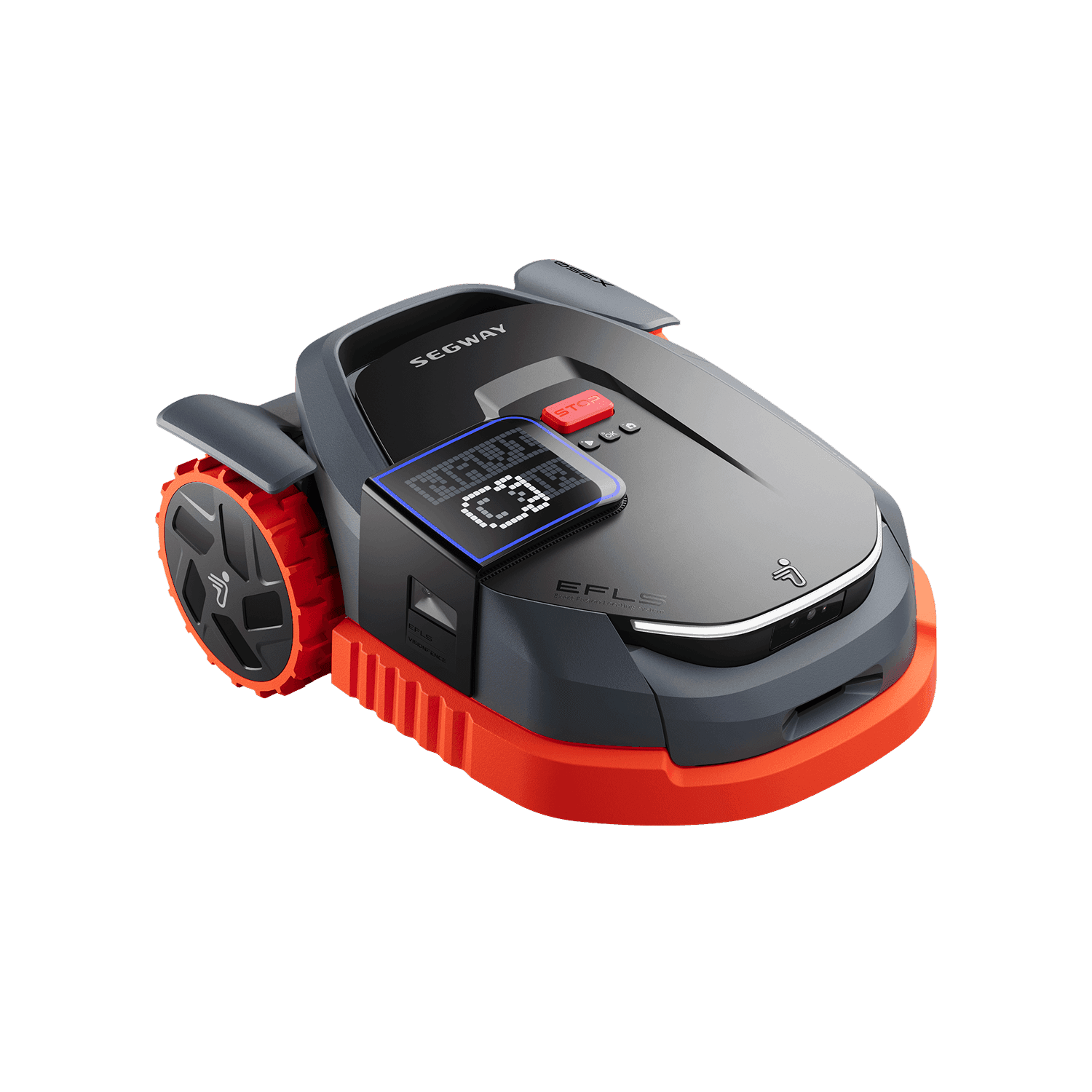
Anti-theft & GPS add-ons
A robot mower sits outdoors, in view, and looks expensive — because it is. The good news is that every model in our catalog already includes anti-theft, and most add GPS tracking, a PIN lock, and a motion alarm, with several offering 4G so the mower can phone home even off Wi-Fi. The first and cheapest "accessory" here is free: actually turn all of that on. Set the PIN, enable tracking, and register the serial number on day one. A shocking number of thefts happen on mowers where the owner never activated the built-in protection.
Add-ons worth considering. A hidden Bluetooth tracker tag — Apple AirTag, Tile, or Samsung SmartTag, roughly $25–$35 — tucked into the chassis is genuinely useful backup, because it keeps broadcasting via the crowd-finding network even if a thief pulls the SIM or the mower loses power. It's cheap insurance for a front-yard dock. The other thing to know: some brands' cellular GPS tracking is subscription-based after an initial free period, so if theft protection is a priority, confirm whether your model's 4G tracking stays free (Navimow includes it) or becomes a paid plan. Beyond that, physical deterrents help — a dock placed out of easy street view, and a garage that hides the mower when it's parked.
Spike wheels & traction aids for slopes and wet grass
This is the accessory with the biggest gap between the marketing and the honest answer. Bolt-on anti-slip spike wheels — stainless or plastic rings of small cleats that screw over the drive wheels — do genuinely improve grip for a rear-wheel-drive mower on damp grass and modest inclines. Third-party kits (Robo-Spikes and many generic sets) exist for WORX Landroid and Husqvarna Automower wheels in various diameters, and they cost only $15–$30.
The caveats are real, though. Cleats can tear and rut soft or wet turf, they add stress to motors and gearboxes that weren't designed for extra bite, and fitting non-approved parts can void your warranty. They're a patch on an underpowered mower, not a cure. If your steepest grade is the actual problem, the durable fix is buying a mower built for it: an AWD or 4WD model rated to 80%, like the Mammotion LUBA 3 line or the Dreame A3 AWD Pro, which climb wet hills on proper drivetrains without chewing your lawn. See the shortlist on best robot mower for hills. Use spikes as a cheap experiment on an existing RWD mower that almost makes it — not as the reason you buy an underpowered one. A stiff-bristle wheel brush (a few dollars) to clear packed mud from treads is a smaller, no-downside version of the same traction goal.
Replacement wheels & drivetrain wear parts
Beyond blades, the drive wheels are the next thing that wears, especially on high-hour mowers, rough terrain, or yards with a lot of turning on the same spots. Worn tread shows up as reduced grip and more slipping in exactly the conditions you don't want it — wet grass and slopes. Genuine replacement drive wheels typically run $15–$40 a pair and are a straightforward swap. This is a pure as-needed wear part: don't buy it until you see the tread going. Small caster or front wheels are even cheaper. If you're already shopping traction spikes for a slope, inspect the tread first — sometimes fresh OEM wheels solve the grip problem without cleats and their downsides.
Charging-contact cleaners & dock care
One of the most common "my mower stopped working" problems isn't a dead mower — it's dirty or oxidized charging contacts. The metal pads where the mower meets the dock collect grass juice, pollen, and a thin oxide film, and eventually the mower parks but doesn't actually charge. The fix is trivial and cheap: a contact/electronics cleaner spray, a bit of fine emery cloth or a pencil eraser to burnish the pads, and optionally a dab of dielectric grease to slow re-oxidation. Call it $8–$15 for supplies that last years. Wiping the contacts every few weeks — more often under heavy pollen — is the single highest-value maintenance habit there is. If your mower is already misbehaving at the dock, work through our robot mower not charging guide before you assume the worst. This applies to every model in the catalog; it's care, not an upgrade.
Boundary wire & repair kits (wired models only)
Most of the 2026 category is wire-free, so this section is only for owners of boundary-wire models — in our catalog, the WORX Landroid M and the Husqvarna Automower 430X. Those mowers rely on a physical perimeter loop, and wire fails: a lawn aerator slices it, frost heaves it, a shovel nicks it, and suddenly the mower won't leave the dock. Keeping the right parts on hand turns a lost weekend into a ten-minute fix.
What to buy. A spool of matching boundary wire for repairs or extending your cut area — WORX sells 50m (WA0184) and 100m (WA0178) spools, and Husqvarna offers spools from small rolls up to a 1,640-ft box — typically $20–$70 depending on length and gauge. Just as important is a repair/connector kit (waterproof splice connectors and spare pegs), usually around $15, which is what you actually need when a wire breaks. Use the manufacturer's own connectors; a twisted-and-taped splice corrodes and fails again. If you're weighing a wired mower partly to avoid these consumables, the trade-offs are covered in the buyer's guide and on best robot mower for no boundary wire.
Where to buy. Shop boundary wire repair kits on Amazon. These are search results, so buy wire and connectors specified for your WORX or Husqvarna model.
Outdoor Wi-Fi extenders & connectivity
Robot mowers rely on connectivity for scheduling, no-go-zone edits, over-the-air firmware updates, and theft alerts — and the dock often sits at the far edge of the yard, right where home Wi-Fi is weakest. If your mower keeps going "offline" in the app, drops mid-update, or won't send alerts, weak signal at the dock is a likely cause. An outdoor-rated Wi-Fi extender or a mesh node near the dock ($30–$100) fixes it by pushing coverage to the property edge.
When you actually need it. Only if the signal is genuinely weak — check the app's signal indicator at the dock before buying. And note that 4G-equipped mowers are far less dependent on Wi-Fi: models with cellular (most of the premium catalog) can update and report over the mobile network, so an extender matters most for Wi-Fi-only mowers like the ECOVACS GOAT O1000, GOAT A2000, WORX Landroid M, and Navimow i105N whose docks live far from the router. Don't buy one on spec — buy it only if you can see the signal is the problem.
Where to buy. Shop outdoor Wi-Fi extenders on Amazon. These are search results, so pick an outdoor-rated, weatherproof unit, and check the signal at the dock first.
Accessory mistakes to avoid
A short list of the ways people waste money in this aisle:
- Forgetting to budget for blades. They're the certainty, not the extra. Fold a few sets a year into your cost from day one — the cost calculator does it for you.
- Reusing old blade screws. They fatigue. Genuine sets include fresh screws for a reason; use them every change.
- Buying spikes instead of the right mower. Traction cleats patch a wet-slope problem but can damage turf and void the warranty. If slope is your real constraint, buy AWD/4WD.
- Adding an antenna mast to a mower that has no local antenna. LiDAR, vision, and NetRTK mowers don't use one — a mast does nothing.
- Skipping the free anti-theft setup, then buying gadgets. Turn on the built-in PIN, GPS, and alarm first; add a $25 tracker tag as backup.
- Buying a Wi-Fi extender before checking the signal. Many "offline" problems are dock placement or a 4G model that never needed Wi-Fi at the edge.
- Third-party parts that don't publish dimensions. For blades especially, unmatched weight or hardness is a safety and motor-wear risk.
Frequently asked questions
How often do robot mower blades need replacing, and what do they cost? Plan on fresh blades every 6–10 weeks of active mowing, or roughly every 150–200 running hours — sooner if you mow daily, cut thick warm-season turf, or hit sand and sticks. They're cheap: a genuine set typically runs $15–$40. Mammotion's 24-blade LUBA/YUKA Endurance pack (three sets) is about $49, and WORX's long-life Landroid blades run about $30 for six. Swap the mounting screws at the same time — manufacturers like Husqvarna insist on it. Full detail in our blades guide.
Are third-party (aftermarket) robot mower blades safe? They can be, but this is the one accessory where we lean genuine. Robot-mower blades are small pivoting razors spinning at high RPM; an aftermarket blade of the wrong weight, thickness, or hardness can unbalance the disc, strain the motor, or throw a blade. Reputable stainless sets that exactly match the OEM dimensions are fine and often cheaper — avoid no-name lots that don't publish their specs, and never reuse worn screws.
Is a robot mower garage worth it in a hot, sunny climate? In the Sun Belt, usually yes. Constant UV and heat fade plastics, embrittle housings, degrade seals, and cook the battery — the most expensive part to replace. A fabric carport ($30–$70) or a hard garage ($120–$400) shades the dock, keeps rain off the contacts, and can extend battery and housing life in Arizona, Texas, Florida, and California heat. On a shaded northern lot it's more of a nice-to-have. See is a garage worth it.
Do I need an antenna mast or extension for my robot mower? Only if your mower uses a local RTK antenna and it can't see enough open sky. In our catalog that's the Navimow i210 AWD, X330, and X350, plus the Husqvarna Automower 420 iQ. A mast or 10m extension (~$30–$80) lifts the antenna to a clear-sky spot. LiDAR, vision, and NetRTK mowers don't use a local antenna, so they don't need one. Try relocating the antenna first — see the placement guide.
Can accessories make a cheap mower climb steep or wet slopes? Only partway, and with trade-offs. Bolt-on spike wheels (~$15–$30) help an RWD mower grip damp grass and modest inclines, but they can chew turf, stress the motors, and may void the warranty. They're a patch, not a cure. If slope is the real problem, buy a mower built for it — an AWD or 4WD model rated to 80% like the LUBA 3 line or Dreame A3 AWD Pro. Shortlist on best robot mower for hills.
What's the single most important accessory to budget for? Replacement blades, without question. They're the one accessory every owner buys again and again, and dull blades quietly ruin the clean, healthy cut you paid for — tearing grass, browning tips, dragging the motor, and wasting battery. Everything else on this page is situational; blades are a certainty. Fold a few sets a year into your five-year cost from the start.
Bottom line
Most of the robot-mower accessory aisle is optional, but two things aren't. Blades are a genuine recurring cost — plan on $15–$40 a set every 6–10 weeks and treat them as part of the price of ownership, not an afterthought. And in the Sun Belt, a garage or carport quietly protects the battery and housing that cost the most to replace. After that, buy to the problem you can actually see: a mast only if your RTK antenna is starved of sky, spikes only if an RWD mower is almost making a wet slope, a Wi-Fi extender only if the dock signal is truly weak, and a $25 tracker as cheap theft backup. The rest you can skip.
The single best way to spend less on accessories is to buy a mower that needs fewer of them — the right navigation for your tree cover, the right drivetrain for your slope, the right deck for your grass. Our data-driven matcher returns your top three, scored and sized for your exact yard, in under a minute:
Find your robot mower → get your top 3
Keep going: the category overview at robot lawn mowers, the full buyer's guide, the five-year math in the cost calculator, and the blade deep-dive in replacement blades: cost, schedule & buying.
Recommended next step
Use this guide to understand the buying issue, then run the configurator with your exact acreage, slope, tree cover, zones, terrain, obstacles, and budget. The best recommendation should survive both the guide logic and the yard-fit filters. If a brand claim or retailer listing conflicts with the guidance here, trust the measured yard constraints first and recheck the exact model page before buying. Document the final assumptions.
Buyer questions
FAQ
How often do robot mower blades need replacing, and what do they cost?
Plan on fresh blades every 6–10 weeks of active mowing, or roughly every 150–200 running hours — sooner if you mow daily, cut thick warm-season turf, or hit sand and sticks. They are cheap: a genuine set typically runs $15–$40. Mammotion sells a 24-blade LUBA/YUKA Endurance pack (three sets) and WORX's long-life Landroid blades run about $30 for six. Always swap the tiny mounting screws at the same time — manufacturers like Husqvarna insist on fresh screws with every blade change because the old ones fatigue.
Are third-party (aftermarket) robot mower blades safe?
They can be, but this is the one accessory where we lean genuine. Robot-mower blades are small pivoting razors spinning thousands of RPM; if an aftermarket blade is a different weight, thickness, or hardness than the original, it can unbalance the disc, strain the motor, wear the pivot, or in a worst case throw a blade. Reputable stainless third-party sets that exactly match the OEM weight and mounting pattern are fine and often cheaper, but avoid no-name blades that don't publish their dimensions, and never reuse worn screws.
Is a robot mower garage worth it in a hot, sunny climate?
In the Sun Belt, usually yes. Constant UV and heat fade plastics, embrittle housings, degrade seals, and cook the battery — the single most expensive part to replace. A simple fabric carport ($30–$70) or a hard garage ($120–$400) shades the dock and mower, keeps rain off the charging contacts, and can meaningfully extend battery and housing life in Arizona, Texas, Florida, and California heat. On a shaded northern lot it is more of a nice-to-have.
Do I need an antenna mast or extension for my robot mower?
Only if your mower uses a local RTK antenna and that antenna can't see enough open sky. In our catalog that's the Navimow i210 AWD, X330, and X350, plus the Husqvarna Automower 420 iQ. If the antenna sits under an eave, a tree, or too low, positioning drifts and the mower wanders or pauses — a mast or 10m extension cable (~$30–$80) lifts it onto a roof or pole for a clear view. NetRTK and LiDAR models don't use a local antenna, so they don't need one.
Can accessories make a cheap mower climb steep or wet slopes?
Only partway, and with trade-offs. Bolt-on spike/traction wheels (~$15–$30) genuinely help a rear-wheel-drive mower grip damp grass and modest inclines, but they can chew turf, stress the motors, and may void your warranty. They are a patch, not a cure. If your steepest grade is the real problem, the honest fix is a mower built for it — an AWD or 4WD model rated to 80% like the Mammotion LUBA line or the Dreame A3 AWD Pro — not spikes on an underpowered unit.
What's the single most important accessory to budget for?
Replacement blades, without question. They are the one accessory every owner buys again and again, and dull blades quietly ruin the thing you bought the mower for — a clean, healthy cut. A worn blade tears grass instead of slicing it, browns the tips, drags on the motor, and wastes battery. Everything else on this page is situational; blades are a certainty. Fold a few sets a year into your five-year cost from day one.