Guide
Mammotion LUBA 3 Problems & Reliability (2026)
What owners actually report about the Mammotion LUBA 3 AWD in 2026: RTK positioning dropouts, app and firmware quirks, edge strips, turf marks, and the fixes.
Find Matching ModelsBy Brian Williams — Founder, MowScoutUpdated 2026-07-01How we scoreHow we test
Mammotion LUBA 3 problems and reliability: what owners report
The most-reported LUBA 3 problems are satellite "Poor Positioning Status" under trees or with a charging base tucked under cover, an occasionally rough app-and-firmware experience, a small uncut strip at hard borders, and turf scuffing from all-wheel-drive turns on soft ground. None are dealbreakers for the right yard — most are fixed with placement, settings, and updates — and reviewers still rate it one of the most capable wire-free mowers you can buy. Everything below is the detail behind that verdict, sourced to owner-facing reviews and Mammotion's own support documentation.
A quick, honest disclosure on how to read this page: MowScout is spec-verified and data-driven, not a hands-on test lab. We have not run a LUBA 3 on our own lawn. Every problem described here is attributed to the owners, reviewers, and Mammotion support articles who reported it, and the underlying specs come from our verified data record. Where we say "owners report" or "reviewers noted," that is exactly what we mean — we are not passing off anyone else's failure as our own testing, and we are not inventing faults. This is a pre-purchase reality check for a genuinely strong machine, not a hit piece. For the wider category context, start with the pillar: robot lawn mowers.
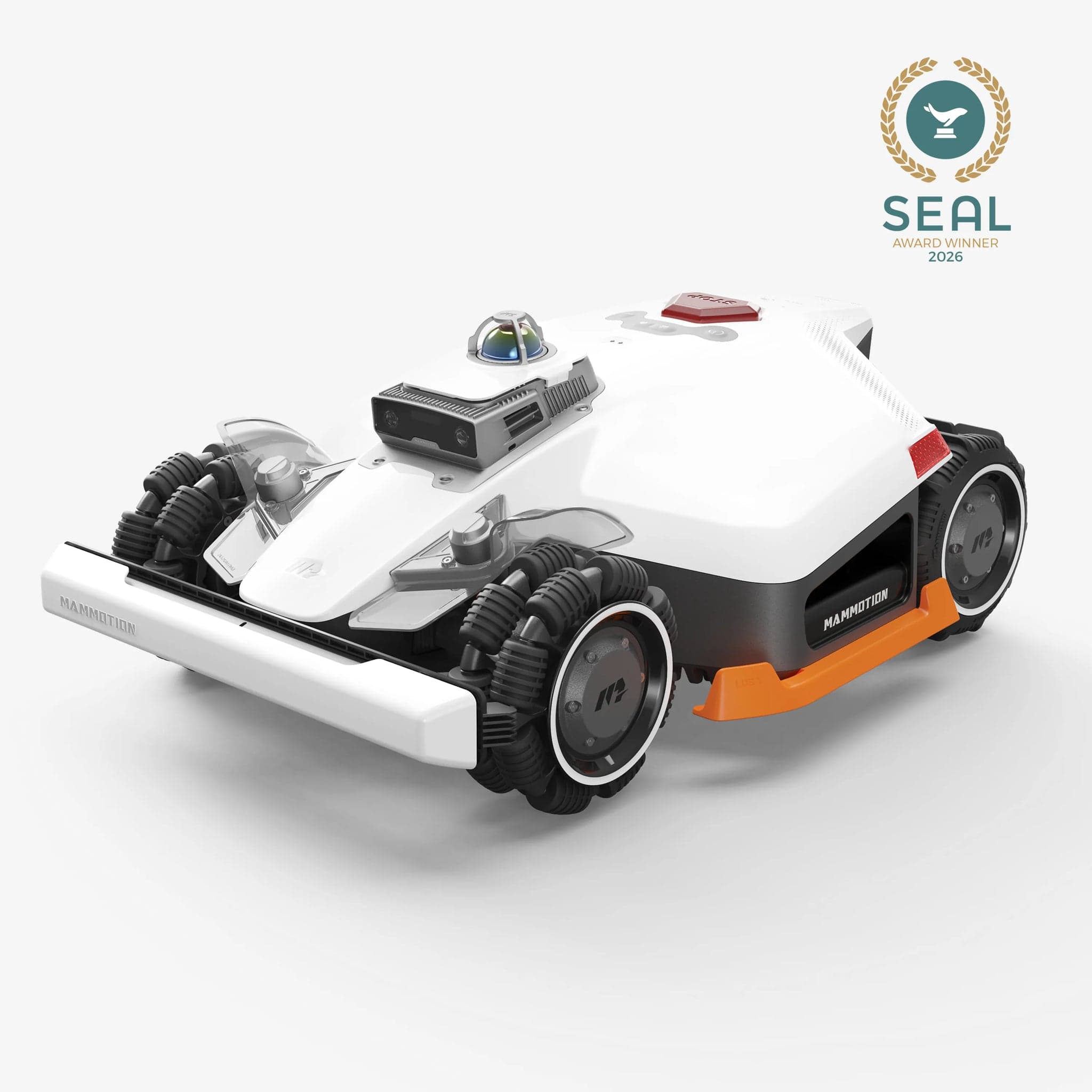
The quick answer: common problems and overall reliability
If you strip the forums and review sites down to their recurring themes, the LUBA 3 AWD's problems cluster into six buckets:
- RTK / satellite positioning dropouts — the "Poor Positioning Status" that shows up under trees, near walls, or with a charging base tucked under cover.
- App and firmware quirks — a powerful but not-fully-polished app, occasional Bluetooth pairing hiccups, and features that arrive (and change) via updates.
- Edge cutting leaves a strip — inherent to the deck geometry; you keep a string trimmer for hard borders.
- Weight / turf marks on soft ground — less about mass (it is light for AWD) and more about skid-steer turning on wet turf.
- Setup and mapping learning curve — charging-base placement and multi-zone management take a session to get right.
- Edge cases — narrow channels barely wider than the body, small low obstacles, and channel-specific support limits.
Now the reliability verdict, kept balanced: this is a strong, highly rated mower, not a lemon. Reviewers who put it on rough, sloped, multi-zone properties describe it as one of the most capable wire-free machines on the market, and several expect years of low-maintenance service based on the proven LUBA 2 platform it builds on. MowScout's spec-verified MowScout Score backs that up — 87/100 for the LUBA 3 AWD 3000H (0.75 acre, 30 zones) and 93/100 for the LUBA 3 AWD 5000H (out of stock) (1.25 acres, 50 zones), both rated to an 80% slope with true all-wheel drive. The problems below are the friction you should walk in expecting — mostly manageable, largely tied to how satellite navigation works, and worth understanding before you spend flagship money.
The most-reported LUBA 3 problems (and the fix for each)
Here is each recurring complaint with what owners and reviewers actually report and the fix or mitigation, cited. The two big ones — positioning and app/firmware — get their own deep-dive sections after this.
1. "Poor Positioning Status" / RTK dropouts. What's reported: the app shows a degraded satellite fix ("Float," "Single," or "None") and the mower refuses to auto-mow. Mammotion's support documentation attributes this to "coverage of trees, leaves, walls, fences" and metal obstruction. The fix: keep the charging base in open sky with "no coverages within 5m," and route around persistent dead zones with boundary edits or no-go zones (full detail below).
2. App and firmware roughness. What's reported: reviewers describe the current software as "not yet a fully polished experience," with zone management that can feel "fiddly for first-time users." Owners also hit occasional Bluetooth pairing failures. The fix: Mammotion publishes a specific Bluetooth troubleshooting flow — power off the mower, unplug and re-seat the Key, power back on — and ships frequent over-the-air updates that add and refine features.
3. Edge cutting leaves a strip. What's reported: with perimeter laps set conservatively, reviewers note it "won't cut to the very edge of a wall, fence or solid flower border, so users will still need a grass trimmer to hand." The fix: increase the edge/perimeter lap count in the app; accept an occasional string-trim against hard borders. This is inherent to nearly every robot mower — see are robot mowers worth it for the category-wide edge reality.
4. Turf marks on soft ground. What's reported: it is light for AWD (about 41.9 lb) and reviewers say it generally doesn't press marks, but "the skid-steer approach can still tear into the turf" when turning on soft or wet grass. The fix: schedule around wet conditions and vary mowing direction so turns don't repeat in one spot.
5. Setup / mapping learning curve. What's reported: a "learning curve, especially for optimal base station placement," and multi-zone mapping that takes a session to master. The fix: use manual mapping (drive the perimeter) for complex yards, and edit maps after the fact — reviewers confirm you can refine boundaries later.
6. Edge cases and support channel. What's reported: the mower "still had some issues navigating through very thin channels (slightly wider than the body)"; reactive avoidance of small low objects (a stray bulb, pet waste) is "still limited"; and the LiDAR module, being a moving part, "adds a degree of fragility over the Luba 2." Separately, buyers from Mammotion Direct or Amazon get in-app support only — the dealer network can't service those serial numbers. The fix: widen tight passages in the map or set them as manual zones, keep the lawn clear of small debris, and factor the support channel into where you buy.
RTK and positioning: the "Poor Positioning Status" deep-dive
This is the single most-reported LUBA 3 theme, and it's worth understanding why it happens rather than treating it as a defect — because it's really the physics of satellite navigation, which no firmware repeals. For the full primer, see RTK vs LiDAR vs vision.
What the statuses mean. Mammotion's support article spells out the positioning levels the app shows. "Fix" is a fine status, accuracy under 10 cm, and it's the only state that enables auto-mowing. "Float" (roughly 50–200 cm), "Single" (meter-level), and "None" are all "bad positioning" states that prevent auto-mowing. So when owners say the mower "won't start" or shows "Poor Positioning," they're almost always looking at a Float/Single/None state where the satellite fix isn't tight enough to trust.
What causes it. Per Mammotion, poor positioning comes from too few satellites or weak signal at the mower — driven by "coverage of trees, leaves, walls, fences," indoor placement, or metal obstructions blocking the sky. Its RTK guidance is blunt about the requirement: the mower needs "at least a 90° open-sky view" of the lawn, and it lists lawns as not recommended when tall trees or walls exceed about 30% of the area, when boundaries are lined with tall trees/walls over 50%, or in narrow lanes under 3 m wide and over 5 m long flanked by tall obstacles.
The fixes owners are pointed to. Mammotion's troubleshooting steps were written for its RTK-station setups; the LUBA 3 has no station to install, so the placement advice applies to the charging base. Move the base to "a place with an open-sky area and there are no coverages within 5m," and use the app's "modify boundary" and no-go zone tools to steer the mower away from persistently obstructed corners. Mammotion will even review your property — you can email your yard's Google Map to support for a signal check before you buy.
The honest bottom line on positioning. If your lawn is open-to-partial sky, this is a non-issue once the charging base sits in open sky. If it's heavily wooded, understand going in that the satellite layer will struggle — the LUBA 3's saving grace is that satellite is only one of three sensors (more on that below). Shaded yards should also read best robot mower for under trees before committing.
App and firmware: quirks, updates, and what's still rough
The LUBA 3's app is genuinely capable — scheduling, multi-zone control, cut patterns, no-go zones, GPS anti-theft — and MowScout rates its app quality 4 out of 5. But it's the second-most-reported friction point, and the complaints are consistent.
What reviewers and owners report: the software is "not yet a fully polished experience," and zone management can be "fiddly for first-time users." Some behaviors changed between generations — reviewers note the app currently doesn't let you resume a mow from a saved percentage the way older LUBA 2 setups could, so an interrupted task may restart from 0%. The app also shows Bluetooth, Wi-Fi, and 4G status but not detailed RTK signal figures yet, which makes diagnosing a weak fix harder (Mammotion has said richer RTK info is coming). And Bluetooth pairing occasionally fails on first connection.
The fixes and mitigations: Mammotion maintains a dedicated Bluetooth troubleshooting article — the first-line steps are to power off the mower, unplug the Key and plug it back in, then power on; if it persists, verify the module with a third-party BLE scanner and submit a USB log to support. More importantly, this is an actively updated platform. A firmware update on May 28, 2026, for example, added the ability to carry the mower over obstacles (including steps) to map a separate lawn — a concrete example of capability arriving after purchase. The trade-off of a fast-moving app is exactly what owners feel: powerful, improving, occasionally rough around a new edge.
Edges and turf: the border strip and marks on soft ground
Two physical realities show up in nearly every review, and both are worth setting expectations on.
Edges. Because the cutting discs sit inboard of the wheels, the LUBA 3 leaves a small uncut strip against walls, fences, and solid borders. Reviewers are direct: with conservative perimeter settings it "won't cut to the very edge of a wall, fence or solid flower border, so users will still need a grass trimmer to hand." The offset dual-disc deck (a 15.7-inch cut) gets closer than many rivals and produces a clean, striped, cross-hatched finish, and you can raise the number of exterior loops per zone to shrink the strip — but plan on an occasional trimmer pass. MowScout still rates its edge cutting "good" for the class; if flawless edges are your priority, dedicated edge-trimming rivals do it better, and we name them in the best robot lawn mower of 2026.
Turf marks. The fear with a beefy AWD mower is ruts and scuffs. Encouragingly, at about 41.9 lb the LUBA 3 is light for an all-wheel-drive machine, and reviewers report it generally doesn't press marks into turf the way a heavier unit would. The real culprit owners flag is skid-steer turning — it pivots by spinning wheels at different speeds, and "the skid-steer approach can still tear into the turf" on soft or saturated ground. The mitigation is behavioral: mow when the lawn is drier, alternate the mowing angle between sessions so pivots don't land in the same place, and keep turns off the softest spots. On firm, dry turf this is a non-issue.
The setup and mapping learning curve
Setting up a mower this capable is more involved than a small vision robot, and the learning curve is a fair, recurring note — though reviewers still find it easier than traditional wire-based systems, since there's no boundary wire to bury.
What owners report: the friction concentrates on charging-base placement (get it in open sky, or you'll fight positioning all season) and multi-zone mapping, which first-timers describe as "fiddly." You build maps by driving the mower around each zone's perimeter (there's an auto-mapping mode for simple, clearly bounded lawns), and reviewers who tested chaotic, multi-area properties confirm the mapping is accurate — one measured it to roughly ±1 cm — "even if the app and setup aren't always smooth."
The mitigation: budget an afternoon, use manual mapping for anything complex, and lean on the fact that maps are editable after the fact — you can refine boundaries, add no-go zones, and reshape channels once you see how the mower behaves in week one. For big properties that justify the effort, see best robot mower for large yards.
How tri-fusion and updates mitigate the problems
It's easy to list problems; it's fairer to explain why the LUBA 3 handles hard yards better than most despite them. The answer is tri-fusion navigation — Mammotion combines 360-degree LiDAR, NetRTK satellite positioning, and AI vision, quoting roughly ±1 cm precision. The point of fusing three sensors is failure-mode redundancy: when a big oak or a tall wall blocks the satellite signal (the "Poor Positioning" scenario above), the LiDAR can carry the mower instead of stopping it, while vision watches for obstacles. That's precisely why a yard with some tree cover, which would defeat a satellite-only mower, is often fine on the LUBA 3 — the weakness of one sensor is covered by another.
Two more structural mitigations matter. First, true AWD to an 80% slope rating means the terrain that stalls rear-wheel-drive rivals isn't the failure point here — steep-yard buyers should read best robot mower for hills to see where it sits. Second, this is a frequently updated, warranty-backed platform — a 3-year warranty on both models, plus over-the-air firmware that has demonstrably added features post-purchase. None of that erases the border strip or the sky requirement, but it does mean the machine you buy tends to get better, not stale.
Who should still buy the LUBA 3 — and who should look elsewhere
Is it still worth it? For the right yard, yes — emphatically. This is a benchmark machine hobbled only by the honest limits of satellite navigation and robot-mower edge geometry, both of which you can plan around.
Buy the LUBA 3 AWD if:
- Your yard is large and/or steep — up to 0.75 acre / 30 zones on the 3000H, up to 1.25 acres / 50 zones on the 5000H (out of stock), with slopes up to 80% that most rivals can't touch.
- You have open-to-partial sky and can give the charging base a genuinely clear spot.
- You want some of the most redundant wire-free navigation available and will accept an occasional edge trim.
- You're comfortable with a powerful app that updates often rather than a locked-down, minimalist one.
Look elsewhere if:
- Your lawn is small and flat — this is far more mower (and money) than you need; a simple vision unit is a better fit.
- Your property is densely, continuously wooded with little open sky — even tri-fusion has limits; consider a LiDAR-first mower and read under-trees picks.
- You want flawless factory edges with zero trimming, or the absolute lowest price — dedicated edge-cutters and budget models serve those goals better.
- You need local dealer service — confirm the support channel for your purchase source first.
Not sure which side you're on? Answer a few questions about your yard's size, slope, and sky and let the tool match you: find your robot mower.
Frequently asked questions
Is the Mammotion LUBA 3 reliable? By the accounts of owners and reviewers, yes — with caveats. Reviewers who tested it on difficult, sloped, multi-zone yards call it one of the most capable wire-free mowers available and expect years of low-maintenance service based on the LUBA 2's track record. The recurring complaints are not catastrophic failures but friction points: satellite positioning that degrades under trees, an app that is powerful but not fully polished, a border strip that still needs a trimmer, and occasional turf scuffing from all-wheel-drive turns. Most are managed with placement, firmware updates, and settings, not repairs. MowScout's spec-verified read is a strong 87/100 for the 3000H and 93/100 for the 5000H.
What is "Poor Positioning Status" on the LUBA 3 and how do I fix it? It is the app telling you the satellite fix has dropped below the accuracy needed to mow. Mammotion's own documentation defines the levels: "Fix" (under 10 cm, mowing enabled), then "Float," "Single," and "None," all of which block auto-mowing. The most common causes are "coverage of trees, leaves, walls, fences" and metal obstruction between the mower and the sky. Mammotion's fix, written for its RTK-station setups, is to move the station to "a place with an open-sky area and there are no coverages within 5m"; the LUBA 3 is sold with no RTK station to install, so on this model that advice applies to the charging base. Move the base to open sky and use the app's boundary-edit or no-go zone tools to route around persistently weak spots.
Does the LUBA 3 work under trees? Partly. The satellite (NetRTK) part of its navigation needs sky, and Mammotion recommends "at least a 90° open-sky view" for the mower, advising against lawns where tall trees or walls exceed roughly 30% of the area. What sets the LUBA 3 apart is that its tri-fusion system pairs satellite positioning with 360-degree LiDAR and AI vision, so light-to-moderate canopy that would stall a satellite-only mower is often handled by the LiDAR. Dense, low, continuous canopy is still a hard case — email your yard's map to Mammotion support to check before buying.
Does the LUBA 3 leave uncut edges? Yes, a little — this is inherent to almost every robot mower, not a LUBA 3 defect. Reviewers note that with the perimeter laps set conservatively it "won't cut to the very edge of a wall, fence or solid flower border, so users will still need a grass trimmer to hand." You can reduce the strip by increasing the number of edge/perimeter laps in the app, but plan on an occasional pass with a string trimmer against hard borders. MowScout rates its edge cutting "good" for the class.
Will the LUBA 3's weight leave marks or ruts in soft grass? It can, in the wrong conditions. At about 41.9 lb it is actually light for an all-wheel-drive mower, and reviewers say a machine this weight generally does not press marks into turf. The bigger factor owners report is the skid-steer turning: because it pivots by driving wheels at different speeds, "the skid-steer approach can still tear into the turf" on soft or wet ground. Mowing when the lawn is drier, varying the mowing angle between sessions, and avoiding repeated turns in one spot all help.
Is the LUBA 3 hard to set up? There is a learning curve, mostly around charging-base placement and multi-zone mapping, but reviewers generally call it easier than traditional wire-based mowers. You drive the mower around each zone's perimeter to build the map (or use auto-mapping on simple lawns), and maps can be edited after the fact. First-time users describe zone management as "fiddly," so budget an afternoon for setup and expect to tweak boundaries and no-go zones over the first week.
The bottom line
The LUBA 3 AWD's "problems" are, almost without exception, the honest limits of satellite navigation and robot-mower physics — not signs of a bad machine. Owners and reviewers who match it to a large, steep, open-to-partial-sky yard describe one of the most capable wire-free mowers on the market; the ones who fight it are usually asking a satellite sensor to see through a dense canopy or expecting a robot to trim like a human. Put the charging base in real open sky, keep a string trimmer for hard borders, mow when it's dry, and give the app an afternoon — do that, and the recurring complaints on this page mostly evaporate. It earns its 87/100 (3000H) and 93/100 (5000H) MowScout Scores.
Find your robot mower → answer a few questions, get your top 3 for your exact yard
Keep reading: the category overview at robot lawn mowers, the navigation primer in RTK vs LiDAR vs vision, and where the LUBA 3 ranks for slopes in best robot mower for hills.
---
Sources
- Mammotion Support — About the new positioning information and how to troubleshoot (Fix/Float/Single/None statuses)
- Mammotion — Can LUBA Get Well RTK Signal In My Lawn? (90° open-sky requirement; tree/wall thresholds)
- Mammotion Support — What to do if the App could not connect to Luba via Bluetooth
- Mammotion — LUBA 3 AWD product page (Tri-Fusion navigation: LiDAR + NetRTK + AI Vision)
- The Robot Mowers — Mammotion LUBA 3 AWD Review 2026 (app polish, LiDAR fragility, narrow-channel and turf notes)
- TechRadar — Mammotion LUBA 3 AWD 3000 review (firmware updates; RTK signal display)
- EasyLawnMowing — Mammotion LUBA 3 AWD review (edge strip; weight vs turf marks; LUBA 2 reliability track record)
- Gear Diary — MAMMOTION LUBA 3 AWD review (cut quality, perimeter laps, edge behavior)
- PCWorld — Mammotion Luba 3 AWD review (chaotic-yard mapping, setup smoothness)
- Mowing Magic — Is the Mammotion LUBA 3 AWD worth it? (setup and base-station learning curve)
Disclosure: MowScout is spec-verified and data-driven, not a hands-on test lab. Problems on this page are attributed to the owners, reviewers, and manufacturer support documents cited above, not to our own testing. We may earn a commission on purchases made through some links, at no cost to you; this never affects our verdicts. Prices and specs were current at the last update and can change — verify before buying.
Recommended next step
Use this guide to understand the buying issue, then run the configurator with your exact acreage, slope, tree cover, zones, terrain, obstacles, and budget. The best recommendation should survive both the guide logic and the yard-fit filters. If a brand claim or retailer listing conflicts with the guidance here, trust the measured yard constraints first and recheck the exact model page before buying. Document the final assumptions.
Buyer questions
FAQ
Is the Mammotion LUBA 3 reliable?
By the accounts of owners and reviewers, yes — with caveats. Reviewers who tested it on difficult, sloped, multi-zone yards call it one of the most capable wire-free mowers available and expect years of low-maintenance service based on the LUBA 2's track record. The recurring complaints are not catastrophic failures but friction points: satellite positioning that degrades under trees, an app that is powerful but not fully polished, a border strip that still needs a trimmer, and occasional turf scuffing from all-wheel-drive turns. Most are managed with placement, firmware updates, and settings, not repairs. MowScout's spec-verified read is a strong 87/100 for the 3000H and 93/100 for the 5000H.
What is 'Poor Positioning Status' on the LUBA 3 and how do I fix it?
It is the app telling you the satellite fix has dropped below the accuracy needed to mow. Mammotion's own documentation defines the levels: 'Fix' (under 10 cm, mowing enabled), then 'Float,' 'Single,' and 'None,' all of which block auto-mowing. The most common causes are 'coverage of trees, leaves, walls, fences' and metal obstruction between the mower and the sky. Mammotion's fix, written for its RTK-station setups, is to move the station to 'a place with an open-sky area and there are no coverages within 5m'; the LUBA 3 is sold with no RTK station to install, so on this model that advice applies to the charging base. Move the base to open sky and use the app's boundary-edit or no-go zone tools to route around persistently weak spots.
Does the LUBA 3 work under trees?
Partly. The satellite (NetRTK) part of its navigation needs sky, and Mammotion recommends 'at least a 90° open-sky view' for the mower, advising against lawns where tall trees or walls exceed roughly 30% of the area. What sets the LUBA 3 apart is that its tri-fusion system pairs satellite positioning with 360-degree LiDAR and AI vision, so light-to-moderate canopy that would stall a satellite-only mower is often handled by the LiDAR. Dense, low, continuous canopy is still a hard case — email your yard's map to Mammotion support to check before buying.
Does the LUBA 3 leave uncut edges?
Yes, a little — this is inherent to almost every robot mower, not a LUBA 3 defect. Reviewers note that with the perimeter laps set conservatively it 'won't cut to the very edge of a wall, fence or solid flower border, so users will still need a grass trimmer to hand.' You can reduce the strip by increasing the number of edge/perimeter laps in the app, but plan on an occasional pass with a string trimmer against hard borders. MowScout rates its edge cutting 'good' for the class.
Will the LUBA 3's weight leave marks or ruts in soft grass?
It can, in the wrong conditions. At about 41.9 lb it is actually light for an all-wheel-drive mower, and reviewers say a machine this weight generally does not press marks into turf. The bigger factor owners report is the skid-steer turning: because it pivots by driving wheels at different speeds, 'the skid-steer approach can still tear into the turf' on soft or wet ground. Mowing when the lawn is drier, varying the mowing angle between sessions, and avoiding repeated turns in one spot all help.
Is the LUBA 3 hard to set up?
There is a learning curve, mostly around charging-base placement and multi-zone mapping, but reviewers generally call it easier than traditional wire-based mowers. You drive the mower around each zone's perimeter to build the map (or use auto-mapping on simple lawns), and maps can be edited after the fact. First-time users describe zone management as 'fiddly,' so budget an afternoon for setup and expect to tweak boundaries and no-go zones over the first week.