Guide
Segway Navimow Problems: Common Issues & Fixes (2026)
Segway Navimow problems in 2026: weak signal under trees, getting stuck, edge gaps, and app glitches — plus owner-reported fixes and which Navimow to buy.
Find Matching ModelsBy Brian Williams — Founder, MowScoutUpdated 2026-07-01How we scoreHow we test
Segway Navimow problems: common issues and fixes (2026)
The most-reported Segway Navimow problems are satellite-signal loss under trees or near buildings ("weak signal" / positioning errors), getting stuck on roots and slopes, a small uncut edge strip, and occasional app or firmware glitches. Almost all of them trace back to one design choice — satellite-based positioning — and are fixable with better antenna placement and by keeping the mower to open-sky yards. Everything below is the owner-sourced detail behind that summary, plus honest guidance on which yards Navimow suits and which it doesn't.
A quick note on where this comes from: MowScout is spec-verified and data-driven, not a hands-on test lab. The problems here are drawn from Navimow's own support documentation and from published owner reviews (PCWorld, TechRadar, The Gadgeteer, MakeUseOf, Home Depot and Trustpilot buyer reviews), all cited at the end. We attribute reported failures to those owners and reviewers — we haven't bench-tested these units ourselves. For the wider category context, start at the pillar: Robot lawn mowers.
<em>Disclosure: MowScout may earn a commission from links on this page. It never changes our verdicts — we cite our sources and name the trade-offs.</em>
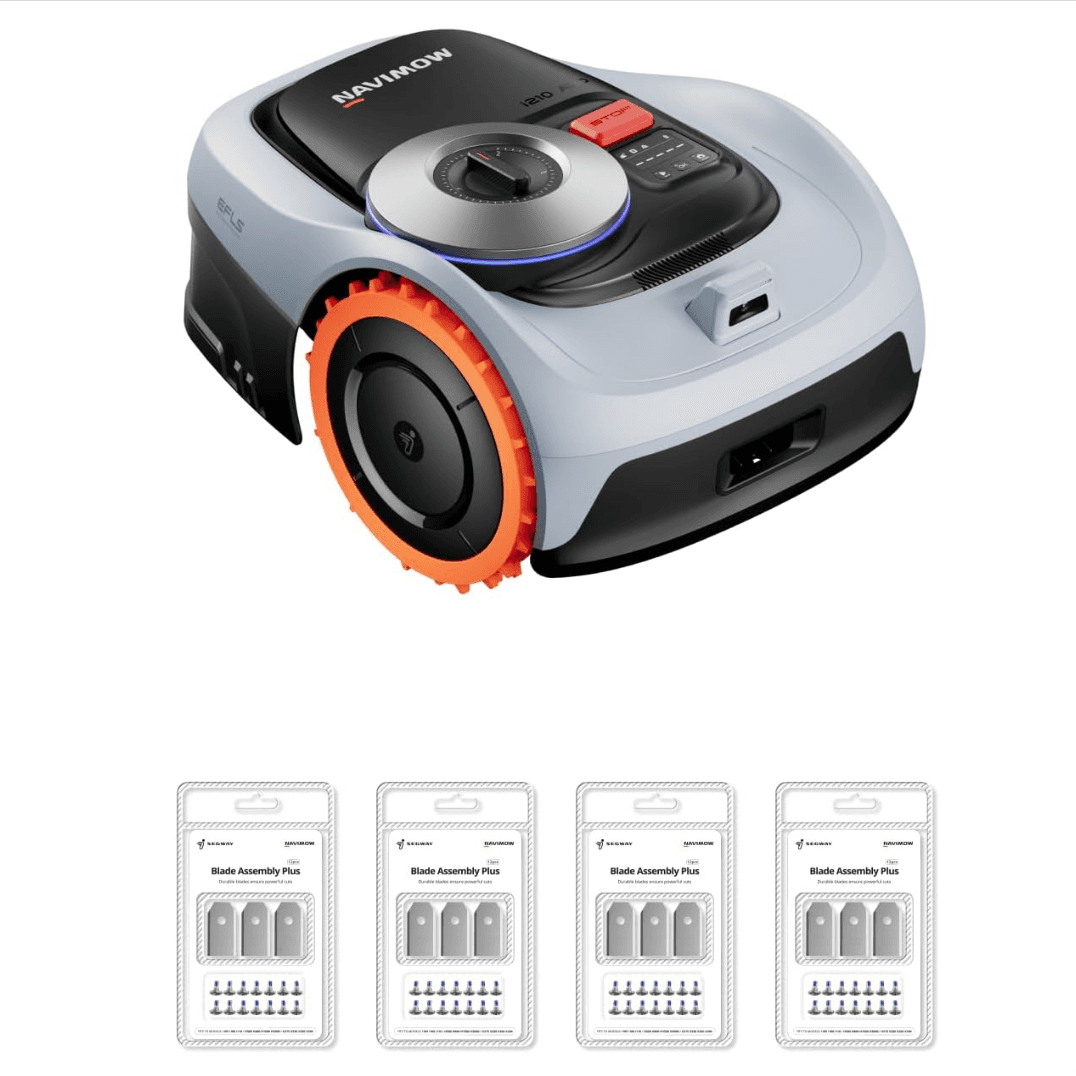
Image: Segway Navimow official product photography. MowScout does not shoot original hardware photos; this is the manufacturer's image, used to illustrate the product.
Quick answer: how reliable is the Navimow, really?
Segway's Navimow is a solid, mainstream wire-free line, and for the right yard it earns its reputation: quiet operation (around 58–60 dB), a mature-enough app, GPS anti-theft, and genuinely hands-off mowing once mapped. The complaints are real but concentrated, and they mostly come down to physics, not build quality.
Here's the honest reliability picture from owners and reviewers:
- Open, sunny yards: Navimow generally performs well. Reviewers describe confident, logical mowing patterns and season-long unattended running once the antenna finds signal.
- Shaded or building-hemmed yards: This is where the frustration lives. Satellite positioning drops out under canopy and near tall walls, producing "weak signal" errors, stalls, and setups that never quite complete.
- Steep or roots-and-ruts terrain: Owners report occasional stalls on exposed roots, uneven ground, and slopes near the rated limit.
- Software: A minority report app crashes, re-mapping freezes, and failed firmware updates — annoying, usually connection-related, not fatal.
Net verdict: strong for open-sky lawns, weaker under heavy canopy. If your yard has clear sky over most of it, the Navimow is an easy mainstream recommendation. If it's genuinely shaded, the issues below aren't bugs you'll patch away — they're the wrong tool for the yard, and you should look at LiDAR instead.
The biggest theme: sky-dependence under trees and buildings
If you read only one section, read this one. Every Navimow positions itself with Segway's EFLS (Exact Fusion Locating System) — GNSS satellite positioning fused with RTK (or Network RTK) corrections and, on newer units, camera Vision/VIO backup. Satellite positioning is the backbone, and satellites need sky.
Navimow's own academy support page says it plainly: the mower stalls and throws an error when "satellite signals usually drop if the mower is under a thick tree canopy, in a narrow space, or around a multi-story wall." That's not a defect report — it's the manufacturer describing a physics limit.
Reviewers echo it repeatedly. In PCWorld's i110N review, the reviewer notes the mower "won't work unless it has a strong lock on GPS satellites via the antenna" — and, critically, "there's no real way of knowing where the antenna will receive an adequate signal until you've already installed the charging station." MakeUseOf's i110N tester had "mostly clear sky with just one large tree providing 25% shade" and still found "only a very small strip at the other end of my front yard where the antenna could receive a signal," then hit recurring dropouts: "after a few days of working perfectly, I would receive notifications on the app that it couldn't get a strong enough signal to start the mowing process."
The larger X-series is no different. For the Navimow X350, The Gadgeteer's reviewer explains the antenna "requires an open sky facing in a southern direction with no buildings or trees blocking the view," and after multiple failed ground-level attempts, optimal placement was ultimately on a roof. PCWorld's X350 review reaches the same conclusion: "the GPS system performs poorly when obstructed by buildings and trees."
The fixes owners actually use:
- Move the antenna to the clearest sky. Traditional-RTK units (X-series) live or die on antenna placement. Position it high, facing an open southern sky, away from walls, metal roofs, gutters, and solar panels (which cause signal "multipath"). A rooftop or a mast often beats ground level.
- Thin the canopy or exclude the area. Navimow's guidance is to cut a few overhanging branches or simply avoid mowing the shaded patch. Draw a no-go zone around the tree well and hand-trim it.
- Lean on the Vision backup where it exists. On the AWD i-series, one independent reviewer found "the NetRTK handled poor 4G areas instantly, while the vision camera took over perfectly under dense tree cover" — short shaded stretches are survivable, whole shaded yards are not.
- Don't buy satellite-first for a shaded lot. If most of the yard is under trees, this is the wrong architecture. See best robot mower for under trees for LiDAR alternatives that don't need the sky.
"Signal weak" errors and lost positioning
This is the specific symptom of the sky problem, and it's the single most-reported Navimow complaint. The app reports a weak signal or "positioning failed," and the mower refuses to leave the dock — or stops mid-lawn and waits.
What owners report: setups that never complete because no antenna position gives a lock (MakeUseOf, PCWorld i110N reviews); intermittent dropouts that appear days after a clean install; and the app failing to show the mower's location. Navimow's EFLS documentation notes the system wants at least five co-visible satellites for a good fix — fewer, and accuracy and stability degrade.
Fixes, in order of effort: re-run the in-app signal test in several spots before committing the dock location; relocate the antenna higher and to more open sky; confirm the mower isn't hugging a wall or fence line where half the sky is blocked; and for NetRTK models in weak-4G areas, switch to the included local RTK antenna. Note the key i-series-vs-X-series distinction here — NetRTK (i105N, i110N, i210 AWD) removes the local-antenna chore entirely, since corrections arrive over free 4G, which sidesteps the "where do I plant the antenna" problem the X-series wrestles with. But NetRTK still needs the onboard receiver to see clear sky, so it's not a canopy cure.
Getting stuck on roots, ruts, and slopes
The second-most-common theme in Navimow's own support material and in reviews: the mower physically stalls and messages you to come rescue it.
Navimow lists the usual culprits — "uneven terrain, satellite signal dropout, slippery surface, and various other reasons." Owners confirm all of them. The Gadgeteer's X350 reviewer found "the mower would sometimes get stuck on an exposed tree root or other partially buried obstacle," and had to walk out and lift it free. On slopes, the same reviewer noted that during AI-assisted mowing "the mower didn't detect that the slope was too steep, causing it to get stuck." MakeUseOf's i110N tester reported the RWD unit "continually failed in a much smaller incline near the docking station" despite the model's rated slope claim.
Fixes:
- Map out the trap. Both Navimow support and reviewers recommend drawing a no-go zone (Navimow calls them "Off-Limit Islands") around any spot that repeatedly snags the mower — root humps, drainage dips, that one slick clay patch.
- Buy slope headroom. Rated slopes are dry-condition maximums. The RWD i105N/i110N top out at 30%; the AWD i210 AWD climbs to 45% and the X-series to ~50%. If your hill is near the limit, size up to AWD rather than fighting stalls. See best robot mower for hills if slope is your main constraint.
- Level or fill known ruts before the season, and keep wheels and blade disc clear of wound-up grass.
Edge cutting: the uncut border strip
Navimow owners consistently flag a strip of uncut grass along walls, beds, and paths. This isn't a Navimow-specific flaw — it's inherent to every robot mower, because the spinning blade disc sits inboard of the wheels so the machine can't put the blade over the true edge.
The reported magnitude: on the i-series, the cutting disc "is centrally positioned with a gap of three inches on either side," leaving roughly a three-inch uncut margin beside solid borders that you'll tidy with a trimmer. MakeUseOf's i110N tester saw worse near obstacles, reporting the mower "would get no closer than probably two feet from the pavers" around a flower bed, and that it "completely refused to touch" a small isolated strip of grass inside the map.
Fixes: enable Navimow's edge/ride-on boundary mode, which straddles the actual grass-to-hardscape line for a closer cut — but it only engages where the gap is under ~1 cm and nothing solid sits within ~20 cm, so it works along a clean path edge, not a bumpy bed. For everything else, plan on a few minutes of string-trimming per week. If near-zero edges are a priority, a mower with a dedicated edge trimmer (ECOVACS TruEdge-class) will get closer than any Navimow — a trade-off we cover in the navigation guide.
App, connectivity, and firmware glitches
Most owners find the Navimow app perfectly serviceable for scheduling, zone editing, and GPS/anti-theft tracking (the app quality rates a solid 4/5 in our data). But a real minority report software friction, and it's fair to name it.
Buyer reviews on Trustpilot and elsewhere mention app crashes mid-mow, freezes when attempting to re-map, and — less charitably — describe wrestling with an issue "every week." Firmware updates are the other pinch point: Navimow's support says failed updates most often come from "a poor or unstable connection" or a battery below 50%, so the mower should be on a strong Wi-Fi or reliable 4G connection with the pack above half charge before you start. Segway's help center also has a standing article for mowers that "cannot connect to a Wi-Fi network," and another for when "the app doesn't show the Navimow's location."
Fixes: keep the dock within solid router range (or buy a 4G-equipped model — the i105N is Wi-Fi/BT only, while the i110N, i210 AWD, and X-series add 4G); update firmware only on a strong signal with a charged battery; and power-cycle the mower and force-close the app before assuming hardware fault. Navigation itself runs onboard, so a dropped Wi-Fi connection won't strand a mid-lawn mower — it mainly affects setup, mapping, updates, and alerts.
Which Navimow avoids which problems
Not every Navimow carries every issue. Matching the model to the yard is how you dodge most complaints. The key split is i-series (NetRTK, antenna-free) vs X-series (traditional RTK antenna).
| Model | Nav type | Antenna chore? | Slope | Best-fit yard | Main risk to watch |
|---|---|---|---|---|---|
| i105N | NetRTK + Vision | None (4G corrections) | 30% | ≤0.13 ac, flat, open | Wi-Fi/BT only — keep near router |
| i110N | NetRTK + Vision | None | 30% | ≤0.25 ac, flat, open | Weak signal if sky is partly blocked |
| i210 AWD | NetRTK + Vision | None (antenna optional) | 45% | ≤0.25 ac, sloped, open | Vision carries only short shade |
| X330 | Hybrid RTK + Vision | Yes — place antenna | 50% | ~1 ac, open | Antenna placement near trees/walls |
| X350 | Hybrid RTK + Vision | No | 50% | ≤1.5 ac, open | Roots/steep stalls; antenna siting |
The takeaway: the NetRTK i-series sidesteps the single most-cursed setup step — planting an antenna where it can see sky — because corrections come over 4G. The i210 AWD is the sweet spot for a compact, sloped, mostly-open yard: it adds all-wheel drive and Vision backup, so it stumbles less on hills and short shaded stretches than the RWD i105N/i110N. The X-series buys you acreage and speed, but reintroduces the antenna-siting problem, so it rewards a genuinely open lawn and punishes a wooded one. None of them beats a LiDAR mower under heavy canopy.
Who should buy a Navimow — and who should look elsewhere
Buy a Navimow if:
- Your yard has clear sky over most of it — few or only high, thin trees.
- You want a quiet, wire-free, mainstream-brand mower with GPS anti-theft and a proven retail footprint (Navimow, Amazon, Lowe's, Home Depot for easy returns).
- Your lawn fits a model's size and slope: the i210 AWD for a compact sloped lot, the X350 for up to ~1.5 open acres. Big open lots start at best robot mower for large yards.
- You accept a little edge-trimming and the occasional firmware nudge as normal robot-mower ownership.
Look elsewhere if:
- Your yard is mostly shaded or hemmed by tall buildings — satellite positioning will fight you all season. Go LiDAR: best robot mower for under trees.
- You have steep, rooty, or rutted terrain near the rated slope limit — buy AWD headroom or a fusion-nav flagship.
- You want the cleanest possible edges with minimal trimming — a dedicated edge-trimmer model gets closer.
- You need rock-solid app polish above all and won't tolerate the occasional glitch reported by some owners.
Honest bottom line: the Navimow isn't a lemon and it isn't magic. It's a capable, quiet, fairly-priced satellite-navigation mower whose weaknesses are entirely predictable from its architecture. Buy it for an open-sky yard and most of the "problems" above never show up. Buy it for a wooded one and you'll meet all of them.
FAQ
Are Segway Navimow mowers reliable? For the yard they're designed for — open sky, moderate slope — owners generally report solid, quiet, hands-off mowing across a season. The reliability complaints cluster around one root cause: satellite-dependent positioning. In shaded or building-hemmed yards, reviewers report recurring "weak signal" errors and stalls. Match the model to an open-sky yard and the Navimow is a dependable mainstream choice; force it under a heavy canopy and you'll fight it.
Why does my Navimow keep saying "signal weak" or "positioning failed"? Navimow positioning is satellite-based (EFLS/GNSS with RTK or NetRTK corrections). Segway's own support notes the mower stalls and errors when satellite signal drops under a thick tree canopy, in a narrow space, or beside a multi-story wall. The fix is antenna placement: reposition the RTK antenna to the clearest, most open patch of sky (ideally facing south), thin overhanging branches, or exclude the problem area from the map. NetRTK models still need clear sky for the onboard receiver even without a local antenna.
Does the Navimow work under trees? Only under light, high canopy. Because positioning leans on satellites, reviewers repeatedly report that dense or low tree cover causes dropouts and stalls. Newer units add Vision/VIO backup that can carry the mower through short shaded stretches, but a yard that is mostly shaded is the wrong job for a satellite-first mower. For heavy canopy, a LiDAR mower is the better tool — see our under-trees guide.
Do I need the RTK antenna if I have a NetRTK Navimow? Not for setup — NetRTK (the i105N, i110N, and i210 AWD) pulls corrections over 4G, so there's no local antenna to plant, and Navimow includes the cellular data free. But NetRTK does not repeal the sky requirement: the mower's onboard receiver still needs a clear-enough view of the sky to use those corrections. The i210 AWD ships with the standard antenna in the box so you can build a local RTK setup if your 4G coverage is poor.
Why does my Navimow leave an uncut strip along the edge? Every robot mower leaves a border because the blade disc sits inboard of the wheels. On the Navimow i-series, reviewers measured roughly a three-inch uncut strip beside solid borders in standard mode. Navimow's fix is a dedicated edge/ride-on mode that straddles the true line — but only where the gap is tiny and nothing solid sits within about 20 cm, so it suits a clean path edge better than a flower bed. Plan on occasional string-trimming regardless.
Is the Navimow app any good, and what do I do if it won't connect? Most owners find the app fine for scheduling, no-go zones, and GPS tracking, but a minority on review sites report crashes mid-mow, freezes when re-mapping, and firmware updates that fail. Navimow's support says failed updates usually trace to an unstable Wi-Fi/4G connection or a battery under 50% — update on a strong signal with the pack charged. For Wi-Fi drops, keep the dock in good router range or use the 4G-equipped models.
Bottom line
Segway's Navimow is a strong open-sky mower with one honest Achilles' heel: it needs to see the sky. Weak-signal errors, stalls, and finicky setup are almost always the satellite architecture meeting a shaded or walled-in yard — fixable with smarter antenna placement, no-go zones, and realistic expectations, or avoided entirely by buying the right model for the right lawn. Get the yard match right and it's a quiet, dependable machine.
Not sure whether your yard is open enough for a Navimow — or whether you should go LiDAR instead? The configurator asks about shade, size, and slope and returns the three models that actually fit:
Find your robot mower → answer a few questions, get your top 3
---
Sources
- Segway Navimow — Why does my robot lawn mower keep getting stuck?
- Segway Navimow — EFLS (Exact Fusion Locating System) technology
- Segway Navimow — Network RTK (antenna-free corrections over 4G)
- Segway Navimow Support — What to do if the app doesn't show the mower's location
- Segway Navimow Support — What to do if the firmware update fails
- Segway Navimow Help Center — Mower cannot connect to a Wi-Fi network
- PCWorld — Segway Navimow i110N review (antenna/GPS-lock caveats)
- MakeUseOf — Segway Navimow i110N review (recurring weak-signal, edge gaps, slope stalls)
- The Gadgeteer — Segway Navimow X350 review (stuck on roots, steep-slope stall, antenna siting)
- PCWorld — Segway Navimow X350 review (poor GPS near buildings/trees)
- TechRadar — Segway Navimow X3 series review
- The Robot Mowers — Navimow i2 AWD review (NetRTK + vision handling poor 4G and shade)
- The Garden Patch — Navimow i105E review (three-inch edge gap, ride-on mode)
- Trustpilot — Segway Navimow customer reviews (app/firmware complaints)
- The Home Depot — Navimow i110N owner reviews
Recommended next step
Use this guide to understand the buying issue, then run the configurator with your exact acreage, slope, tree cover, zones, terrain, obstacles, and budget. The best recommendation should survive both the guide logic and the yard-fit filters. If a brand claim or retailer listing conflicts with the guidance here, trust the measured yard constraints first and recheck the exact model page before buying. Document the final assumptions.
Buyer questions
FAQ
Are Segway Navimow mowers reliable?
For the yard they're designed for — open sky, moderate slope — owners generally report solid, quiet, hands-off mowing across a season. The reliability complaints cluster around one root cause: satellite-dependent positioning. In shaded or building-hemmed yards, reviewers report recurring 'weak signal' errors and stalls. Match the model to an open-sky yard and the Navimow is a dependable mainstream choice; force it under a heavy canopy and you'll fight it.
Why does my Navimow keep saying 'signal weak' or 'positioning failed'?
Navimow positioning is satellite-based (EFLS/GNSS with RTK or NetRTK corrections). Segway's own support notes the mower stalls and errors when satellite signal drops under a thick tree canopy, in a narrow space, or beside a multi-story wall. The fix is antenna placement: reposition the RTK antenna to the clearest, most open patch of sky (ideally facing south), thin overhanging branches, or exclude the problem area from the map. NetRTK models still need clear sky for the onboard receiver even without a local antenna.
Does the Navimow work under trees?
Only under light, high canopy. Because positioning leans on satellites, reviewers repeatedly report that dense or low tree cover causes dropouts and stalls. Newer units add Vision/VIO backup that can carry the mower through short shaded stretches, but a yard that is mostly shaded is the wrong job for a satellite-first mower. For heavy canopy, a LiDAR mower is the better tool — see our under-trees guide.
Do I need the RTK antenna if I have a NetRTK Navimow?
Not for setup — NetRTK (the i105N, i110N, and i210 AWD) pulls corrections over 4G, so there's no local antenna to plant, and Navimow includes the cellular data free. But NetRTK does not repeal the sky requirement: the mower's onboard receiver still needs a clear-enough view of the sky to use those corrections. The i210 AWD ships with the standard antenna in the box so you can build a local RTK setup if your 4G coverage is poor.
Why does my Navimow leave an uncut strip along the edge?
Every robot mower leaves a border because the blade disc sits inboard of the wheels. On the Navimow i-series, reviewers measured roughly a three-inch uncut strip beside solid borders in standard mode. Navimow's fix is a dedicated edge/ride-on mode that straddles the true line — but only where the gap is tiny and nothing solid sits within about 20 cm, so it suits a clean path edge better than a flower bed. Plan on occasional string-trimming regardless.
Is the Navimow app any good, and what do I do if it won't connect?
Most owners find the app fine for scheduling, no-go zones, and GPS tracking, but a minority on review sites report crashes mid-mow, freezes when re-mapping, and firmware updates that fail. Navimow's support says failed updates usually trace to an unstable Wi-Fi/4G connection or a battery under 50% — update on a strong signal with the pack charged. For Wi-Fi drops, keep the dock in good router range or use the 4G-equipped models.