Guide
Robot Lawn Mower Error Codes Explained (2026)
Robot lawn mower error codes explained by brand and symptom: Navimow, Mammotion, Husqvarna, WORX, ECOVACS, eufy and Dreame faults, what they mean, and the fix.
Find Matching ModelsBy Brian Williams — Founder, MowScoutUpdated 2026-07-01How we scoreHow we test
Robot lawn mower error codes: what they mean and how to fix them (2026)
There is no industry-standard error-code language for robot mowers — each brand invents its own — but almost every fault falls into one of seven families: signal/RTK, stuck, won't charge or dock, lifted/tilted, blade motor, offline/connectivity, and boundary/map. This is the consolidated, cross-brand library: the real codes and messages for Segway Navimow, Mammotion LUBA/YUKA, Husqvarna Automower, WORX Landroid, ECOVACS GOAT, eufy and Dreame, what the manufacturer says each one means, and the documented fix. Use the symptom cross-index to jump straight to your problem, or the per-brand tables to decode the exact code on your screen.
A quick, honest note on sourcing: MowScout is spec-verified and data-driven, not a hands-on test lab. Every code, message, and fix below is drawn from the manufacturers' own support documentation, knowledge bases, and user manuals — with a small number of clearly labeled owner reports where the official tables are silent. Where we write "per the manufacturer's documentation," that is a support article or manual; where we write "owners report," that is a forum or user group, and we say so. We have not reproduced these faults on our own machines. For the wider category, start at the pillar: robot lawn mowers.
<em>Disclosure: MowScout may earn a commission from links on this page. It never changes our verdicts — we cite our sources and name the trade-offs.</em>
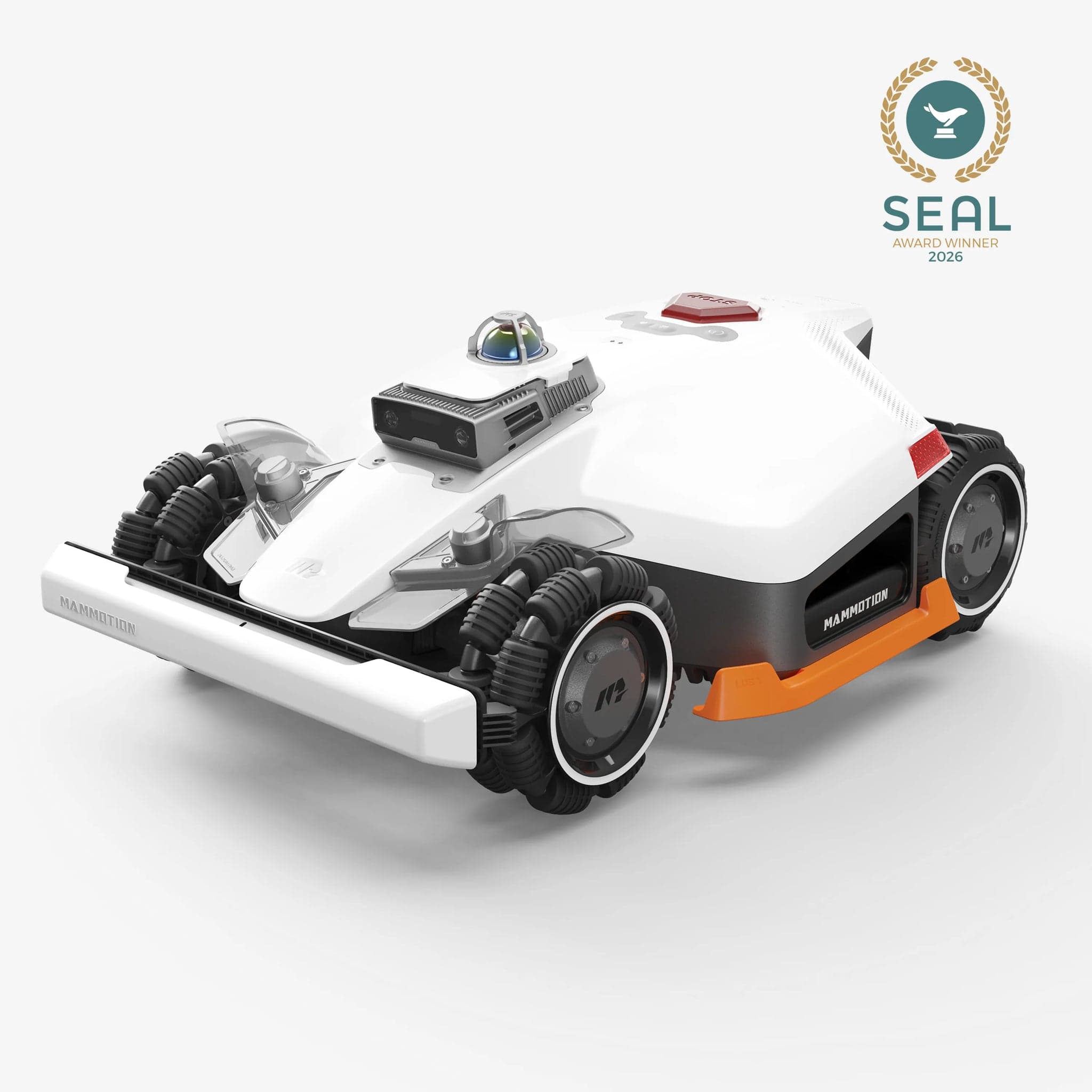
Image: Mammotion official product photography. MowScout does not shoot original hardware photos; this is the manufacturer's image, used to illustrate the product.
How to read a robot mower fault (every brand differs)
Before you chase a specific code, understand the three formats you will meet, because they change how you look up the answer:
- Numbered codes. Segway Navimow (a 6xxx / 1xxx / 3xxx / 7xxx scheme) and ECOVACS GOAT (E501-class "E" + three digits, plus network codes) show a number you can look up directly. Per both brands' documentation, the app carries the complete, current list — the printed manual only samples it — so the in-app instruction is the authority.
- Named text messages. Husqvarna Automower ("No loop signal", "Trapped", "Upside down"), eufy (spoken voice alerts), and Dreame ("Positioning Failed", "LiDAR Error") describe the fault in words on the machine or in the app rather than a number.
- A hybrid. Mammotion shows numeric app codes (316, 1005, 1300) and a set of named RTK positioning states — Fix, Float, Single, None — that gate whether the mower will auto-mow at all.
One more universal truth worth internalizing: most faults are the yard talking to the mower, not a broken machine. A weak-signal error is usually a badly placed antenna; a "trapped" code is usually a root or a narrow gate; a charging fault is usually a dirty contact or a tilted dock. That is why the fixes below lean on placement, cleaning, and map edits far more often than on repair. If you are choosing a mower rather than fixing one, the robot lawn mower buyer's guide and the fit-my-yard configurator prevent most of these codes before they happen.
The symptom cross-index (find your problem fast)
If you do not have the code in front of you — or you want to understand the pattern behind it — start here. Each row maps a symptom to its likely cause, the first fix to try, the branded codes that express it, and where to dig deeper.
| Symptom | Likely cause | First fix to try | Example coded faults (by brand) | Dig deeper |
|---|---|---|---|---|
| Signal / RTK ("weak signal", "positioning failed") | GNSS satellites blocked by trees, walls, or a poorly placed antenna / reference station | Move antenna and reference station to open sky, mounted high; add a no-go zone around dead spots | Navimow 6002 / 7006 / 6010; Mammotion 1300 + Float/Single/None; ECOVACS E655; Husqvarna "Weak GPS signal" | RTK antenna placement, Navimow problems |
| Stuck / trapped | Roots, ruts, narrow passages, wet turns, dock approach | Free it, level the bump, and set an off-limit / no-go zone on the repeat spot | Navimow 6108; Husqvarna "Trapped"; WORX E4; ECOVACS E627 | Getting stuck guide |
| Won't charge / won't dock | Dirty contacts, tilted or unpowered station, blocked reflective film, bad dock approach | Clean contacts; set the station flat, level and powered; clear the dock run-in | Navimow "fails to return"; Mammotion 1301 / 2713; Husqvarna "Charging system problem"; WORX E7 / E8; ECOVACS E501 / E621 | Not charging guide |
| Lifted / tilted / upside down | Caster-wheel jam, bumps, or a slope past the safe limit | Set on level ground, clean the caster, move the boundary off the steep patch | Navimow "lifting"; Husqvarna "Lifted" / "Upside down"; WORX E5 / E6; ECOVACS E627; Dreame "Machine is Lifted"; eufy "steep slope" | Best for hills |
| Blade / cutting motor | Jam, grass too tall, wrapped clippings or string | Power off, clear the blade disc, raise cut height | Mammotion 316 / 323 / 325; Navimow 1105 / 1215; Husqvarna "Cutting system blocked"; WORX E3 | Buyer's guide |
| Offline / connectivity | Wrong Wi-Fi band (5 GHz), weak Wi-Fi/4G, low battery mid-update | Use 2.4 GHz within range; update on strong signal with the pack above half charge | Navimow "cannot connect to Wi-Fi"; WORX E10 / E25; ECOVACS 10010 / 10016; Dreame "Failed to Connect Network" | Navimow problems |
| Boundary / map | Cut wire, out-of-boundary, corrupt or outdated map | Repair the wire or recreate the map; keep the mower inside the boundary | Navimow 6101 / 6105 / 6111 / 6116; Husqvarna "No loop signal" / "Outside working area"; WORX E1; Dreame "Mapping Issues" | RTK vs LiDAR vs vision |
Segway Navimow error codes (i-series and X3)
Per Segway's Navimow knowledge base, codes are published per product family — the "Navimow i" articles cover the i105N / i110N / i210 AWD-class units, and the "Navimow X3" articles cover the X330 and X350. The two families share the same 6xxx scheme with near-identical fixes. Across the range, you clear a fault the same way: press STOP on the mower, then MOW + OK to resume.
| Code | What the manufacturer says it means | Documented fix |
|---|---|---|
| 6101 | Map loading error | Press STOP and start a new session; if it persists, delete and recreate the map |
| 6102 | Local map acquisition error | Press STOP; restart the mower if it persists |
| 6103 | Position acquisition error (cannot confirm RTK position) | Push into the dock, press STOP, resume; restart the mower if it persists |
| 6105 | Out of boundary error | Place on flat ground inside the boundary, or push it into the dock |
| 6106 | Motion planning error (often camera / VisionFence related) | Flat ground within the boundary; press STOP and resume; clean the camera lens; add a VisionFence-off zone |
| 6108 | Mower trapped error | Manually free it; STOP and resume; if it recurs, set the spot as an off-limit island or level the gap |
| 6111 | Path planning error (narrow channel or off-limit island too close) | Press STOP; delete and recreate the channel; add a VisionFence-off zone; recreate the map if it persists |
| 6116 | Failed to pass through the channel | Press STOP and resume; add a VisionFence-off zone; disable Channel Sense |
| 1105 | Mowing motor stalled (protection activated) | Power off for safety; clear the blade disc; if grass is thick, cut to 6 cm or lower; restart |
| 1215 (X3) | Cutting deck motor got stuck | Flip the unit; clear clippings, string, or stones from the blade fender; re-check cut height |
| 3101 | Wheel motor stopped (to prevent damage) | Remove foreign objects blocking the wheels; STOP, then MOW + OK |
| 4208 (X3) | Antenna communication error | Confirm the antenna is plugged in and unobstructed; wait for the antenna's solid green LED, then press STOP |
| 7101 | Battery data error | Press STOP, then MOW + OK; if it fails, restart and dock |
The weak-signal cluster. Per Navimow's own explainer on how the mower behaves when satellite signal is weak, the location codes 6002 (poor satellite signal reception), 7006, and 6010 all trace to GNSS weakness — the mower has reached a spot where buildings or trees block the sky. The documented fix is antenna placement: dock the mower, press STOP, verify the antenna is in open space (roof-mounting is recommended), and use the app's satellite-signal heat map to move the antenna to a "green" area. For the full playbook, see the RTK antenna placement guide and our owner-sourced Navimow problems breakdown.
Mammotion LUBA & YUKA error codes and positioning states
Mammotion is the hybrid case: it shows numeric app codes and named RTK positioning states. Both matter, and the positioning states are the ones owners hit first. Full ownership context lives in LUBA 3 problems and reliability and the LUBA 3 AWD 3000H review.
Positioning states (Fix / Float / Single / None). Per Mammotion's support article on positioning information, these describe RTK quality, and only one lets the mower work:
| State | Manufacturer definition | Auto-mow allowed? |
|---|---|---|
| Fix | "Fine positioning status, accuracy less than 10cm" (down to 2 cm in good open sky) | Yes |
| Float | "Bad positioning status, accuracy about 50-200cm" | No |
| Single | "Bad positioning status, accuracy with meter-level" | No |
| None | "No positioning status" (no solution) | No |
When the app shows "Poor Positioning Status" (numeric code 1300), it is telling you the fix has dropped to Float, Single, or None. Per Mammotion, the cause is too few satellites or weak signal at the mower or the reference station — driven by tree, wall, or fence coverage, or a station without clear sky. The documented fix: relocate the reference station to "a place with an open-sky area and there are no coverages within 5m," confirm its solid green LED and power, and use the app's boundary-edit and no-go tools to steer around dead zones. Note also code 1301, "the charging station has been moved" — because the entire map is built from the station's real position, Mammotion's guidance is to relocate the station back or delete and rebuild the map.
Numeric fault codes. Per the official LUBA 2 AWD and YUKA mini user manuals (the two share an identical set), the app-surfaced codes include:
| Code | Manufacturer cause | Documented fix |
|---|---|---|
| 316 | Left cutting-disc motor overheating | Returns to normal after cooling |
| 318 | Left cutting-disc motor sensor failed | Restart; contact support if it persists |
| 323 | Right cutting-disc motor overloaded | Clear the jammed disc; raise cut height |
| 325 | Right cutting-disc motor fails to start | Check for jamming, restart; contact support if unresolved |
| 326 | Right cutting-disc motor overheating | Restart; contact support if it persists |
| 328 | Right cutting-disc motor sensor failed | Restart; contact support if it persists |
| 1005 | Low battery | Resumes after charging to 80% |
| 1300 | Positioning status poor | Await repositioning (see above) |
| 1301 | Charging station has been moved | Relocate the station (or remap) |
| 1420 | Timeout retrieving wheel-speed data | Restart; contact support if it persists |
| 2713 | Charging stopped due to low battery voltage | Restart; contact after-sales if it persists |
| 2726 | Battery overcharged | Stop charging immediately; contact after-sales if frequent |
| 2727 | Battery over-discharged | Recharge the robot |
An honest caveat. Owners on Mammotion's user group have reported low-number codes such as 115, 121, and 125 on high-hour machines, describing them as recurring front-wheel/drive faults after about a year. Those codes are not in any published Mammotion table we could verify (the documented set starts at 316), so treat them as an owner report of a drive-motor issue, not a documented code — and a signal to contact support.
Husqvarna Automower fault messages
Husqvarna is the named-message brand. Per its current operator's manuals and self-service pages, modern Automowers display plain-language messages, not on-screen numbers — and many can be cleared straight from the Automower Connect app with "Reset Error." The most common documented messages:
| Message | Manufacturer meaning | Documented fix |
|---|---|---|
| No loop signal | Communication between mower and boundary wire is lost | Check the wire connection at the station and its LED; inspect for a cut wire; recreate the loop signal; check power |
| Outside working area | The loop sensor reads that the mower is outside the zone | Keep boundary wire back from slopes/obstacles; verify the wire is on the correct station pins (reversed pins invert polarity) |
| Trapped | Multiple loop or collision events in a short period | Move to a clear area, remove obstacles, widen narrow passages, use islands / stay-out zones |
| No drive | Wheels spin but the mower does not move | Free it from a hole/obstacle; check the slope is within spec; let wet slopes dry |
| Lifted ("Alarm! Mower lifted") | The lift sensor detects a lift or excess tilt | Raise cut height; remove roots/stones or add a stay-out zone; clean under the deck; reseat a loose body |
| Upside down | The inclination sensor reads an unsafe angle | Set upright; avoid lifting while running; fence off over-steep slopes with the boundary or an island |
| Cutting system blocked | Something is blocking the blade disc | Free it from roots/objects; clear grass and debris from the disc, wheels and deck; lower grass height |
| Charging system problem | Fault preventing proper charging | Use the correct power supply; clean the contact plates on mower and station; inspect the cable and connectors |
| Alarm! Outside geofence | Mower moved outside its GPS geofence | Reset the geofence center point and update it in the app over Bluetooth |
| Disconnected from Husqvarna Cloud / Bluetooth | Not connected to cloud (cellular/Wi-Fi) or to your phone | Toggle the mower OFF then ON; restart the app and phone; update firmware; disable the Connect module for 5 minutes and re-enable |
On the "numbered Husqvarna codes." There is a 0-90 numeric list (for example 2 = No loop signal, 9 = Trapped, 13 = Mower lifted, 23 = Cutting system blocked, 53 = Weak GPS signal, 73 = Outside geofence), but per our research it is the Automower Connect app/API "errorCode" field, not a number shown on the mower. On-device you see the named message; the number is what the API reports. Do not expect it on the machine's screen. The mature Automower platform is a useful reliability baseline — see the Automower 430X review.
WORX Landroid error codes
Per WORX's own support wiki (`wiki.worx.com`), the Landroid line splits into two code systems because the on-screen text differs by generation:
- Landroid Vision (camera / boundaryless models) uses numbered E-codes, E1 through E25.
- Landroid Classic (boundary-wire models such as the Landroid M WR147) uses LCD text messages, catalogued as E1 through E8.
The most useful codes across both, with WORX's own wording:
| Code | On-screen text (per WORX) | Meaning | Documented fix |
|---|---|---|---|
| E1 | "Wire missing" / "Outside Boundary" | Boundary wire not detected, or the mower is outside its mapped area | Check the base LED is green; inspect the wire for cuts and repair with waterproof connectors; carry the mower back inside and press Start |
| E2 | "Wheels Motor Error" | Wheel/drive motor blocked | Power off, move to a clear area, clear debris around the wheels, press Start |
| E3 | "Blade Motor Fault" | Blade disc blocked, or grass too tall/dense | Power off, flip it over (gloves on), clear the disc, keep grass under about 9 cm, restart |
| E4 | "Mower Trapped! Press Start to reset" | Boxed in / cannot maneuver out | Relocate to open ground, remove obstacles, press Start |
| E5 | "Upside Lifted" | Lift/tilt detected — often the front caster losing ground contact | Level bumps and dips, remove what is lifting the caster, restart |
| E6 | "Upside Down" | Safety shutdown — tilted past 35° | Update firmware, move to level ground, inspect for slopes/steps, restart |
| E7 | "Battery Charging Error" | Charging fault — station tilted past 5°, or dirty/misaligned poles | Set the station flat and level; clean the charging contacts; re-dock |
| E8 | "Cannot Find Base" | Cannot locate/dock the station (bad install, blocked QR code, no green power LED) | Ensure the station is flat and unobstructed; clean the QR code; confirm the green LED; refresh boundary data |
| E10 | "Wifi Lock" | Anti-theft lock triggered after losing its known Wi-Fi | Reconnect to the original Wi-Fi; apply the unlock file from your Landroid account if needed |
| E11 | "Battery Temperature Out Of Range" | Battery too hot or cold to run or charge | Remove from the station, power off ~2 minutes, power on, re-dock; verify a genuine WORX pack |
| E25 | "Firmware Download Fail" | Over-the-air update failed | Re-attempt on stable Wi-Fi |
Per WORX, Vision-specific codes also cover camera faults (E12 "Camera Lens Is Dirty", E14 "Insufficient Fill Light"), plus non-fault status messages such as "Rain Delay". If you are shopping wire-based budget models, the WR147 is the reference point in our data.
ECOVACS, eufy, and Dreame codes (the others)
ECOVACS GOAT has the richest documented set of the three. Per its user manual troubleshooting table, the E-codes include E501 / E504 (charging station has no power), E621 / E622 / E623 (fails to dock — power issue, obstacles, or a blocked reflective film), E627 (lifted or trapped for a long time), and — on the RTK-based O-series — E655 (fails to dock because the RTK reference station moved or its signal is weak; the fix is to restore the station's position, and if its light is flashing, relocate for better signal and remap). ECOVACS notes that codes appear as "E" plus three digits and that the ECOVACS HOME app is the authoritative source for a given code's instructions. Separately, its help center documents Wi-Fi setup codes — for example 10010 / 10018 / 10025 ("unable to connect the robot to the network": keep the robot within 3 m of the router, use 2.4 GHz, confirm the password) and 10016 / 10017 ("device configuration timed out"). The older GOAT G1 uses spoken alerts instead — "GOAT tilted!", "GOAT lifted!", "Left/Right rear wheel fault!" The GOAT O1000 review covers the platform.
Dreame publishes no numbered mower codes — and no RTK, since its A-series navigates by 3D LiDAR. Per Dreame's support portal, faults are named: "LiDAR Error" / "LiDAR-Related Issues" (remove the protective film, clean the LiDAR with the supplied cloth, test in an open area), "Positioning Failed/Inaccurate" (clean the radar, restart in an open area inside the map, and drive it back to the dock in manual mode if the dock sits outside the map), "Connect Module Failure" (the optional 4G Link Module dropped an unstable mobile network — restart), "Failed to Connect Network" (use 2.4 GHz, simplify the Wi-Fi password), "Drive Wheel Error", and, on the A3 AWD Pro, a continuously reported "the Machine is Lifted" and a "LiDAR Blocked Error While on the Charging Station." Because Dreame does not use RTK, weak-satellite faults do not apply — a "positioning" fault here is a LiDAR/vision issue.
eufy is the thinnest — and, importantly, its E15 / E15 Solo / E18 mowers are pure vision (the GPS is anti-theft only, so there are no RTK faults, and there is no "E17" model). Per eufy's support articles, we could not verify any numbered mower codes; faults surface as support topics and voice alerts: a spoken "Steep slope detected, or tilt angle is too large" (the slope exceeds roughly 18° — confirm the grade and set a no-go zone), "cannot return to the base station" (clear the path, level the ground near the dock, or use "Relocated base station" if it was moved), and a general stuck/trapped flow (pause, clear obstacles, restart on flat ground). A "positioning" problem on eufy stems from vision conditions — darkness, a changed scene, narrow spaces — not signal loss. See the eufy E18 review (out of stock).
RTK & positioning faults: the number-one theme
If you take one lesson from this whole library, take this: on any satellite-navigation mower, positioning is the fault you will meet most, and it is almost never a broken machine. RTK (and NetRTK) fix the mower's location to a few centimeters by combining GNSS satellites with a correction source — and satellites need a clear view of the sky. Trees, walls, metal roofs, and a badly sited antenna or reference station all starve that fix, and the mower refuses to mow because it no longer trusts where it is.
The pattern repeats across brands: Navimow's 6002/7006/6010, Mammotion's Float/Single/None (code 1300), and ECOVACS's E655 are the same physics wearing different labels. So is the fix. Per every RTK manufacturer's documentation:
- Give the antenna and reference station genuinely open sky. Mount high — a roof or mast beats ground level — and in the Northern Hemisphere favor a clear southern exposure. Mammotion asks for no coverage within 5 m; Navimow provides an in-app signal heat map to find a "green" spot.
- Keep the mower off the dead zones. Draw no-go zones or off-limit islands around the shaded corner or the wall the mower keeps failing near, rather than fighting it.
- Match the mower to the yard. A yard that is mostly under canopy is the wrong job for a satellite-first mower; a LiDAR or vision machine sidesteps the sky requirement entirely. Our RTK vs LiDAR vs vision primer and best robot mower for under trees cover the trade-off, and the RTK antenna placement guide is the deep dive on siting.
Connectivity & offline faults
Connectivity codes are annoying but rarely serious, and they cluster around three causes across every brand. First, the wrong Wi-Fi band: ECOVACS (10010), Dreame ("Failed to Connect Network"), and Mammotion all specifically require 2.4 GHz — a 5 GHz-only network is a silent dealbreaker. Second, range and signal: keep the dock within solid router range, or choose a 4G-equipped model; WORX's "Wifi Lock" (E10) and Wi-Fi timeout ("Er ro"), and Husqvarna's "Disconnected from Husqvarna Cloud", are usually range or account issues. Third, failed firmware updates: per Navimow's support, these most often trace to an unstable connection or a battery under 50%, so update on strong signal with the pack charged (WORX logs this as E25). One reassurance: on every mapping mower here, navigation runs onboard, so a dropped Wi-Fi connection does not strand a mid-lawn mower — it mainly affects setup, mapping, updates, and alerts.
Charging & dock faults
Charging and docking faults are the most physical, and the most fixable. Per the brands' documentation, the recurring culprits are a tilted or unpowered station (WORX E7 flags a station tilted past 5°; ECOVACS E501/E504 and Husqvarna "Charging system problem" flag no power), dirty or misaligned contacts (every brand's fix starts with cleaning the charging plates), a blocked reflective film or QR marker the mower uses to find the dock (ECOVACS E621-class, WORX E8 "Cannot Find Base"), and a moved dock or a bad approach (Mammotion 1301, Navimow's "fails to return", eufy's "cannot return to the base station"). The fix sequence is almost identical brand to brand: set the station flat, level and powered on a clear run-in; wipe the contacts and the reflective marker; clear obstacles within about a meter of the dock; and if you physically moved the station, use the app's "relocate/remap" flow so the map still matches reality. The full walkthrough is in the robot mower not charging guide.
Safety faults: lifted, tilted, and upside down
Lift and tilt codes exist for one reason — to stop the blades the instant the mower leaves the ground or leans too far — so they are safety features doing their job, and you should never defeat them. Per the documentation, the two honest causes are terrain and a sticky caster. On slopes, the tilt sensor trips when the grade exceeds the safe limit (WORX E6 at 35°, eufy's voice alert around 18°, Husqvarna "Upside down"); the fix is to move the boundary or add a no-go zone so the mower stops attempting the over-steep patch — and, if slopes are your defining constraint, to buy the traction for it (best robot mower for hills). The subtler cause is a front caster wheel that jams or does not spring back, which the mower misreads as a lift: Navimow and Dreame both document this, and the fix is to clean and re-grease the caster axle so it moves freely. If a lift/tilt fault fires repeatedly on flat, level ground with a clean caster, that is when it stops being a yard problem and becomes a support call.
When it's a warranty case (and how to contact support)
Most codes in this library are owner-serviceable — placement, cleaning, a no-go zone, a reset. The line to watch is repetition after a proper fix. Escalate to the manufacturer when:
- A hardware code repeats after cleaning and resetting — cutting-disc motor sensor faults (Mammotion 318/328), battery over-charge/over-discharge (Mammotion 2726/2727), a wheel-motor stall that fires on flat ground, or any "sensor fault"/"electronic problem." These are the codes whose own documented fix says "contact after-sales," not "restart."
- Owner-reported codes outside the published tables appear — for example the Mammotion 115/121/125 wheel faults. Undocumented plus recurring is a support conversation.
- A safety fault fires with no cause you can find — a lift/tilt error on level ground with a clean caster, for instance.
Before you call: note the exact code and when it fires, update firmware (several brands' fixes begin there), and capture a short video and an app log if the brand asks for one (Mammotion and Navimow both request POS-info screenshots or logs). Keep your proof of purchase, and know your channel — some brands service only their own serial numbers, so where you bought the mower can determine whether you get dealer service or app-only support. None of this voids the honest baseline: a robot mower that throws the same hardware code week after week, despite the documented fix, is a warranty case, not a chore.
FAQ
How do I read a robot lawn mower error code? There is no universal standard, so the first step is knowing your brand's format. Segway Navimow and ECOVACS GOAT show numbered codes; Husqvarna, eufy and Dreame show named text messages; and Mammotion mixes numeric codes with named RTK states (Fix, Float, Single, None). Match the code to your brand's table above, then treat the in-app instruction as the authority — several brands say the app carries the full, current code list that the printed manual only samples.
What does "Poor Positioning Status" (Fix / Float / Single / None) mean on a Mammotion? Per Mammotion's support documentation, those are the four RTK positioning quality states. "Fix" is the good one — under 10 cm accuracy, and the only state that allows auto-mowing. "Float" (about 50-200 cm), "Single" (meter-level), and "None" (no solution) are degraded states that block auto-mow, surfaced as "Poor Positioning Status" (code 1300). The documented fix is to move the RTK reference station to open sky with no coverage within 5 m, confirm its solid green LED, and route the map around dead zones.
What are Navimow error codes 6103 and 6111? Per Segway's support articles, 6103 is a "position acquisition error" — the mower cannot confirm its RTK position; push it into the dock, press STOP and resume, then restart if it persists. Code 6111 is a "path planning error," commonly a channel exit blocked by or too close to an off-limit island, or a passage too narrow; press STOP, delete and recreate the channel, add a VisionFence-off zone, and recreate the map if it continues.
Why does my robot mower keep saying the signal is weak? Weak-signal faults are the most common theme on satellite-navigation mowers, and per every RTK manufacturer's documentation the cause is physics: GNSS satellites need a clear view of the sky, so trees, walls, and a poorly placed antenna or reference station starve the fix. Navimow throws 6002/7006/6010, Mammotion shows Float/Single/None (1300), and ECOVACS logs E655. The fix is always antenna and reference-station placement — open sky, mounted high, southern exposure in the Northern Hemisphere. LiDAR and vision mowers do not use RTK and are immune to this fault.
Do all robot mowers use numbered error codes? No. Segway Navimow and ECOVACS GOAT publish numeric tables; Husqvarna, eufy and Dreame primarily show named text messages on the mower. Husqvarna does have a 0-90 numeric list, but that is the Automower Connect app/API "errorCode" field, not a number shown on the machine. eufy and Dreame publish no numbered mower codes that we could verify.
When is a robot mower error a warranty case instead of a DIY fix? Treat navigation, boundary, stuck, lifted, and dirty-contact faults as owner-serviceable first — they usually clear with cleaning, re-placement, or a no-go zone. Escalate to the manufacturer when a hardware code repeats after you have cleaned and reset it: cutting-disc motor sensor faults, battery over-charge/over-discharge codes, wheel-motor stalls that recur on flat ground, or any sensor/electronic fault whose documented fix says "contact support." Keep proof of purchase and note where you bought it, because some brands service only their own serial numbers.
Bottom line
Robot mower error codes look like chaos until you see the pattern: seven fault families, dressed up in each brand's private vocabulary. A Navimow 6103, a Mammotion "Float," and an ECOVACS E655 are all the same weak-signal story; a WORX E4, a Husqvarna "Trapped," and a Navimow 6108 are all the same stuck story. Decode the family, apply the documented fix — usually placement, cleaning, or a no-go zone — and only escalate when a hardware code repeats after you have done your part. That is the honest difference between a mower that feels automatic and one that becomes a chore.
If you are still choosing — and want to avoid the codes that come from buying the wrong architecture for your yard — answer a few questions about your sky, slope, and size, and let the tool match you:
Find your robot mower → answer a few questions, get your top 3
Keep reading: the category overview at robot lawn mowers, the navigation primer in RTK vs LiDAR vs vision, the getting-stuck guide, and the not-charging guide.
---
Sources
Segway Navimow (official knowledge base / support)
- Navimow i — error code 6103 "Position acquisition error"
- Navimow i — error code 6111 "Path planning error"
- Navimow i — error code 6105 "Out of boundary"
- Navimow i — error code 6108 "Mower trapped"
- Navimow H — error code 6002 "Poor satellite signal reception"
- Navimow — behavior when the satellite signal is weak (ties 6010 / 7006 / 6002 to GNSS)
- Navimow i — error code 1105 "Mowing motor stalled"
- Navimow i — error code 3101 "Wheel motor stopped"
- Navimow X3 — error code 4208 "Antenna communication error"
Mammotion LUBA / YUKA (official support and manuals)
- Mammotion Support — positioning information: Fix / Float / Single / None
- Mammotion Support — the "Poor Positioning Status" error
- Mammotion LUBA 2 AWD user manual — fault-code table (ManualsLib p.96-97)
- Mammotion YUKA mini user manual — fault-code table (ManualsLib p.85-86)
- Mammotion Support — what happens if you move the RTK reference station
- Mammotion owners' group — owner report of codes 115 / 121 / 125 (owner report, not documentation)
Husqvarna Automower (official self-service and manuals)
- Husqvarna — "No loop signal": causes and solutions
- Husqvarna — "Outside work area" error message
- Husqvarna — "Trapped" error message
- Husqvarna — "Lifted / Alarm! Mower lifted" error message
- Husqvarna — "Upside down" error message
- Husqvarna — "Cutting system blocked" error message
- Husqvarna — "Charging system problem" message
- Husqvarna — disconnected from cloud / Bluetooth
- Husqvarna — handling Automower error messages (reset error)
- Husqvarna Automower Connect API — numeric errorCode enumeration (developer portal)
WORX Landroid (official support wiki and manuals)
- WORX wiki — Landroid Vision error and status messages (E1-E25)
- WORX wiki — Landroid Classic error messages (E1-E8)
- WORX wiki — E1 "Boundary wire missing"
- WORX wiki — E6 "Upside Down" (35° safety threshold)
- WORX wiki — E7 charging / temperature / docking errors
- WORX wiki — E8 "Cannot Find Base"
- WORX wiki — E10 "Wifi Lock"
ECOVACS GOAT, Dreame, and eufy (official support)
- ECOVACS GOAT user manual — E-code troubleshooting table (ManualsLib p.33)
- ECOVACS — network error codes and solutions
- ECOVACS GOAT G1 user manual — spoken fault messages (ManualsLib p.21)
- Dreame Support — A2 "Positioning Failed/Inaccurate"
- Dreame Support — LiDAR error / LiDAR-related issues
- Dreame Support — A2 "Connect Module Failure"
- Dreame Support — A3 AWD Pro troubleshooting section
- eufy Support — slopes and the steep-slope safety limit
- eufy Support — cannot return to the base station
Disclosure: MowScout is spec-verified and data-driven, not a hands-on test lab. The codes, messages, and fixes on this page are attributed to the manufacturers' support documentation and manuals cited above, and to clearly labeled owner reports where noted — not to our own testing. We may earn a commission on purchases made through some links, at no cost to you; this never affects our verdicts. Prices, specs, and error-code tables were current at the last update and can change — verify against your model's app and manual before acting.
Recommended next step
Use this guide to understand the buying issue, then run the configurator with your exact acreage, slope, tree cover, zones, terrain, obstacles, and budget. The best recommendation should survive both the guide logic and the yard-fit filters. If a brand claim or retailer listing conflicts with the guidance here, trust the measured yard constraints first and recheck the exact model page before buying. Document the final assumptions.
Buyer questions
FAQ
How do I read a robot lawn mower error code?
There is no universal standard, so the first step is knowing your brand's format. Per each manufacturer's documentation, Segway Navimow and ECOVACS GOAT show numbered codes (Navimow 6103, ECOVACS E655); Husqvarna, eufy and Dreame show named text messages ('Trapped', 'Positioning Failed'); and Mammotion mixes numeric app codes (316, 1300) with named RTK states (Fix, Float, Single, None). Match the code to your brand's table below, then treat the in-app instruction as the authority — several brands say the app carries the full, current code list that the printed manual only samples.
What does 'Poor Positioning Status' (Fix / Float / Single / None) mean on a Mammotion?
Per Mammotion's support documentation, those are the four RTK positioning quality states. 'Fix' is the good one — accuracy under 10 cm, and the only state that allows auto-mowing. 'Float' (about 50-200 cm), 'Single' (meter-level), and 'None' (no solution) are all degraded states that block auto-mow, and the app surfaces them as 'Poor Positioning Status' (numeric code 1300). The documented fix is to move the RTK reference station to genuinely open sky with no coverage within 5 m, confirm its LED is solid green, and route the map around dead zones.
What are Navimow error codes 6103 and 6111?
Per Segway's Navimow support articles, 6103 is a 'position acquisition error' — the mower cannot confirm its RTK position; the documented fix is to push it into the charging station, press STOP and resume, then restart the mower if it persists. Code 6111 is a 'path planning error', commonly a channel exit that is blocked by or too close to an off-limit island, or a passage that is too narrow; the fix is to press STOP, delete and recreate the channel, add a VisionFence-off zone in the narrow area, and recreate the map if it continues.
Why does my robot mower keep saying the signal is weak?
Weak-signal and positioning faults are the single most common theme across satellite-navigation mowers, and per every RTK manufacturer's documentation the cause is physics, not a defect: GNSS satellites need a clear view of the sky, so trees, walls, and a poorly placed antenna or reference station starve the fix. Navimow throws 6002/7006/6010, Mammotion shows Float/Single/None (code 1300), and ECOVACS logs E655. The fix is always antenna and reference-station placement — open sky, mounted high, ideally facing the southern sky in the Northern Hemisphere. LiDAR and vision mowers do not use RTK, so they are immune to this specific fault.
Do all robot mowers use numbered error codes?
No, and assuming they do is a common mistake. Per the manufacturers' own documentation, Segway Navimow and ECOVACS GOAT publish numeric tables; Husqvarna, eufy and Dreame primarily show named text messages on the mower. Husqvarna does have a 0-90 numeric list, but that is the Automower Connect app/API 'errorCode' field, not a number shown on the machine — on-device you see the named message. eufy and Dreame publish no numbered mower codes at all that we could verify.
When is a robot mower error a warranty case instead of a DIY fix?
Treat navigation, boundary, stuck, lifted, and dirty-contact faults as owner-serviceable first — they usually clear with cleaning, re-placement, or a no-go zone. Escalate to the manufacturer when a hardware code repeats after you have cleaned and reset it: cutting-disc motor sensor faults, battery over-charge/over-discharge codes, wheel-motor stalls that recur on flat ground, or any sensor/electronic fault. Per brand documentation, those are the codes that say 'contact after-sales/support' rather than 'restart'. Keep proof of purchase and note where you bought it, because some brands service only their own serial numbers through their channel.